Profile sharing
Install AI tools
Give your assistant up-to-date guidance for our APIs, with our plugin or without it.
The plugin is still under development. See the AI tools page for details.
- Claude Code
- Cursor
- Codex
- Without installing
Run both commands, in order.
claude plugin marketplace add vippsas/agent-toolkit
claude plugin install vipps-developer@agent-toolkit
Open Settings, then Plugins.
Add vippsas/agent-toolkit as a plugin marketplace, then install the "vipps-developer" plugin.
For the app, add the marketplace "vippsas/agent-toolkit" and then install "vipps-developer". For the CLI, run the following commands.
codex plugin marketplace add vippsas/agent-toolkit
codex plugin add vipps-developer@agent-toolkit
Paste this into any assistant.
Read https://github.com/vippsas/agent-toolkit/blob/main/plugins/vipps-developer/README.md for Vipps MobilePay integration guidance.
For troubleshooting, see the full instructions.
Ensure that you comply with our privacy terms.
Request and retrieve customer profile information (such as name, address, email, or phone number) securely during the payment process, with explicit user consent.
Profile sharing is used in various payment flows:
- Required for Express - customers must share address for shipping
- Optional for standard payments - request specific profile details as needed
User consent flow
When you request profile information, a consent screen is displayed in the user's Vipps or MobilePay app before the payment screen.
- Vipps
- MobilePay
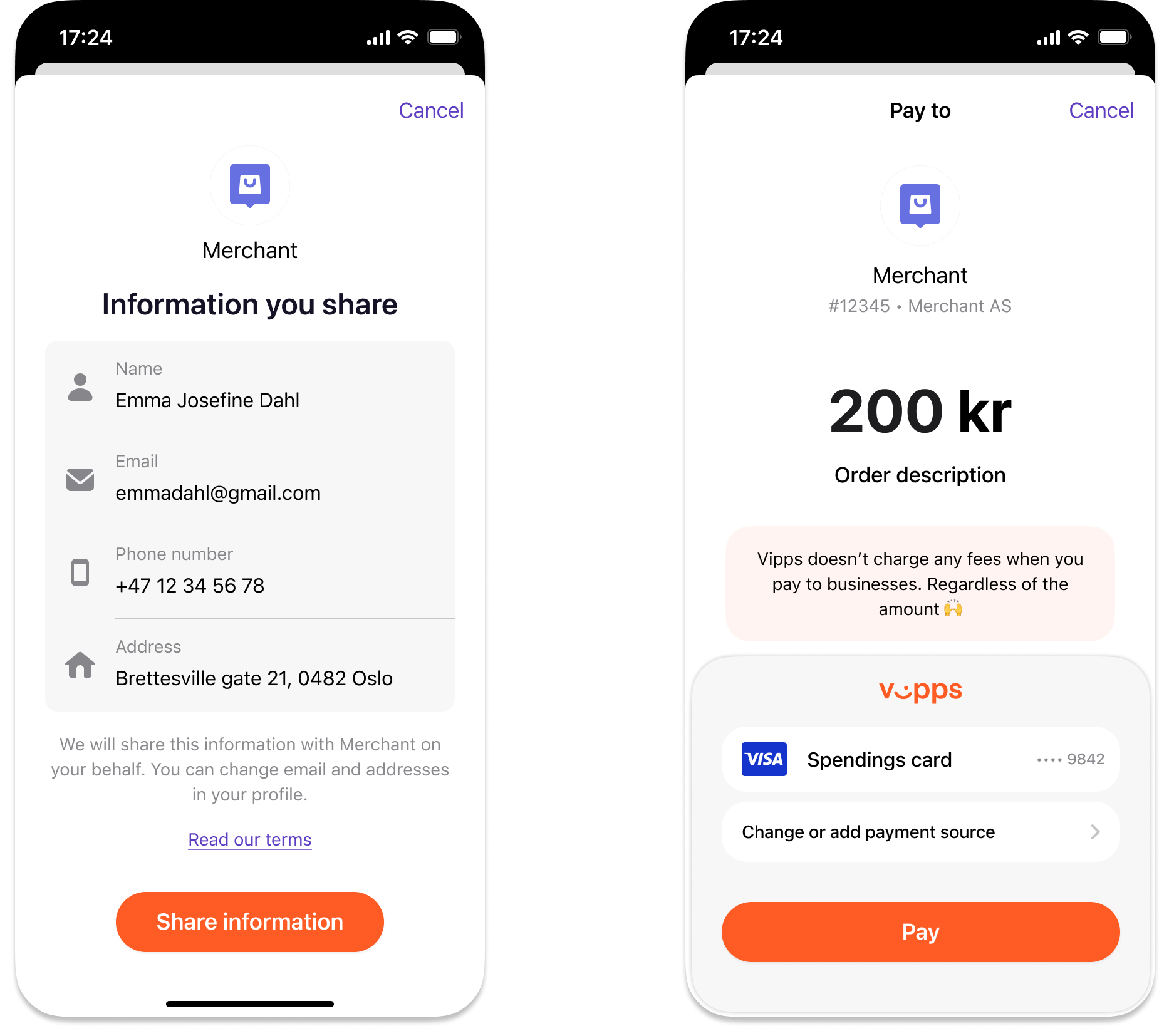
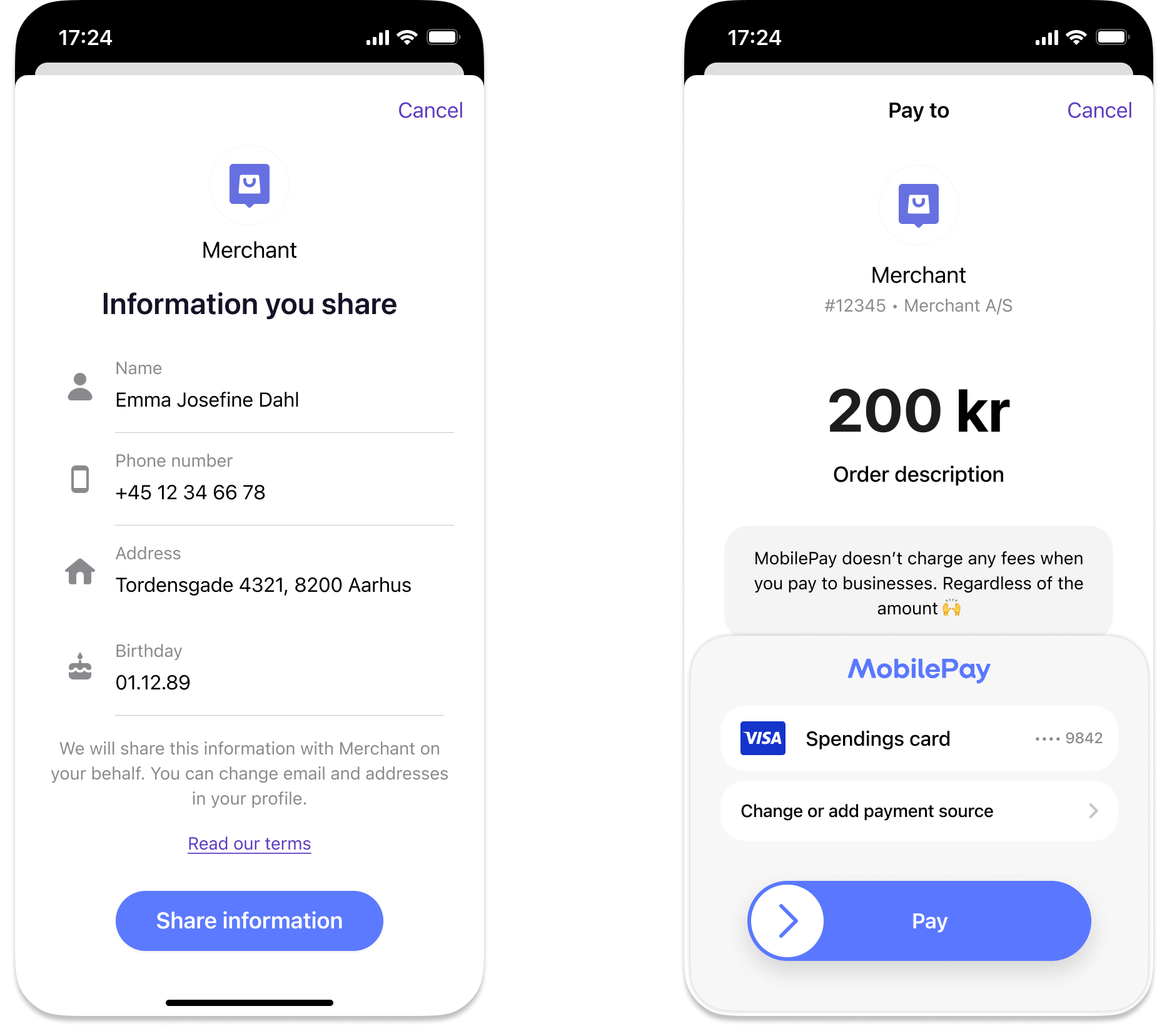
Two-screen profile-sharing flow in the payment app (Vipps or MobilePay): Left — "Information you share" consent screen listing user details with a Share information button. Right — payment screen with a Pay button.
The user must complete both the consent screen and the payment screen before you get access to their profile information. If the user doesn't consent, the payment will fail.
Request only the scopes you need, to reduce the risk that the user cancels the payment. Make sure you include all of them, though, because you can't ask for more details after the payment.
Authorization
All ePayment API requests must include a valid Bearer token in the Authorization header.
See Authorization for how to obtain one.
Requesting profile information
To request access to user profile information, include the profile.scope property in your POST:/epayment/v1/payments request.
Available scope values
Specify which profile details you need by including them in profile.scope, separated by spaces:
address- User's registered address(es)birthDate- User's date of birthemail- User's email addressname- User's full name (first and last)phoneNumber- User's phone numbernin- National identity number (special cases only)
Example request
curl -X POST https://apitest.vipps.no/epayment/v1/payments \
-H "Content-Type: application/json" \
-H "Authorization: Bearer YOUR-ACCESS-TOKEN" \
-H "Ocp-Apim-Subscription-Key: YOUR-SUBSCRIPTION-KEY" \
-H "Merchant-Serial-Number: YOUR-MSN" \
-H "Idempotency-Key: YOUR-IDEMPOTENCY-KEY" \
-H "Vipps-System-Name: acme" \
-H "Vipps-System-Version: 3.1.2" \
-H "Vipps-System-Plugin-Name: acme-webshop" \
-H "Vipps-System-Plugin-Version: 4.5.6" \
-d '{
    "amount": {
        "value": 49900,
        "currency": "NOK"
    },
    "paymentMethod": {
        "type": "WALLET"
    },
    "customer": {
        "phoneNumber": "4712345678"
    },
    "reference": "UNIQUE-PAYMENT-REFERENCE",
    "userFlow": "WEB_REDIRECT",
    "returnUrl": "https://example.com/redirect?reference=UNIQUE-PAYMENT-REFERENCE",
    "paymentDescription": "Acme Webshop order 1234",
    "profile": {
        "scope": "name email phoneNumber address"
    }
}'
See Userinfo API guide: scope for more details.
The user will see a consent screen in their app for any profile information they haven't previously shared with your sales unit. The consent must be accepted before they can complete the payment.
Consent validity
User consents remain valid for 7 days. Fetch the user's information as soon as consent is given to ensure data accuracy.
Retrieving profile data
After the payment is authorized, the ePayment API returns the details the user shared. For a normal purchase this is all you need: there is no separate call to the Userinfo API.
Retrieve them in one of two ways:
- Poll the payment: Call
GET:/epayment/v1/payments/{reference}after the payment is approved. - Webhook: If you have a registered webhook for
epayments.payment.authorized.v1, the profile data is included in the payload.
In the response, the userDetails object contains the profile information:
email- User's email addressfirstName- User's first namelastName- User's last namemobileNumber- User's phone numberdateOfBirth- User's date of birthaddresses- Array of user's addresses
Example:
{
    "userDetails": {
        "email": "test.user@example.com",
        "firstName": "Test",
        "lastName": "User",
        "mobileNumber": "4712345678",
        "addresses": [
            {
                "addressLine1": "BOKS 6300, ETTERSTAD",
                "addressLine2": "",
                "city": "OSLO",
                "country": "NO",
                "postCode": "0603"
            },
            {
                "addressLine1": "Robert Levins gate 5",
                "addressLine2": "",
                "city": "Oslo",
                "country": "NO",
                "postCode": "0152"
            }
        ]
    },
    // ... other items here....
}
If you need more than this
The Userinfo API returns details that userDetails does not carry, such as nin, the
email_verified and phone_number_verified flags, the formatted address string, and other_addresses.
To use it, you need the sub value for the payment: a unique identifier for a Vipps MobilePay user, scoped to their
consent with your sales unit. It is returned as profile.sub by
GET:/epayment/v1/payments/{reference} and as sub in
the webhook payload.
See the Userinfo API guide for the request and the response format.