How Express works
This is how Express works with the ePayment API. Express streamlines the checkout process by letting customers select shipping options and confirm delivery details directly within the Vipps MobilePay app.
This page shows the customer's journey from clicking the Express button through order confirmation.
Details
1. Customer clicks the Express button
On a merchant's website or app, the customer sees an Express button on the product page or in the shopping cart. They click it to begin the streamlined checkout process.
For button design guidelines and translations, see Button guidelines.


Screenshot: Online merchant product page showing an Express button (Vipps or MobilePay) alongside the standard checkout options.
2. The merchant creates an Express payment request
When the customer clicks the Express button, the merchant creates an Express payment request with POST:/epayment/v1/payments.
The request includes:
paymentMethod.typeset toWALLETprofile.scopeset to"name address email phoneNumber"(all four are required)shipping.fixedOptionsorshipping.dynamicOptionswith available shipping methods
For implementation details and code examples, see Create an Express payment.
3. Customer opens the Vipps/MobilePay app
If the payment was started from a mobile device, the Vipps or MobilePay app will automatically open.
 or MobilePay
  app will automatically open.
If the payment was started on a desktop device, the landing page will open. There, the customer enters their phone number and clicks Next to send the payment request to the app on their phone.
4. Customer consents to share profile information
Before seeing the payment amount, the customer is asked to consent to sharing their name, address, phone number, and email with the merchant.
This consent is required for Express, so the merchant can fulfill and ship the order.
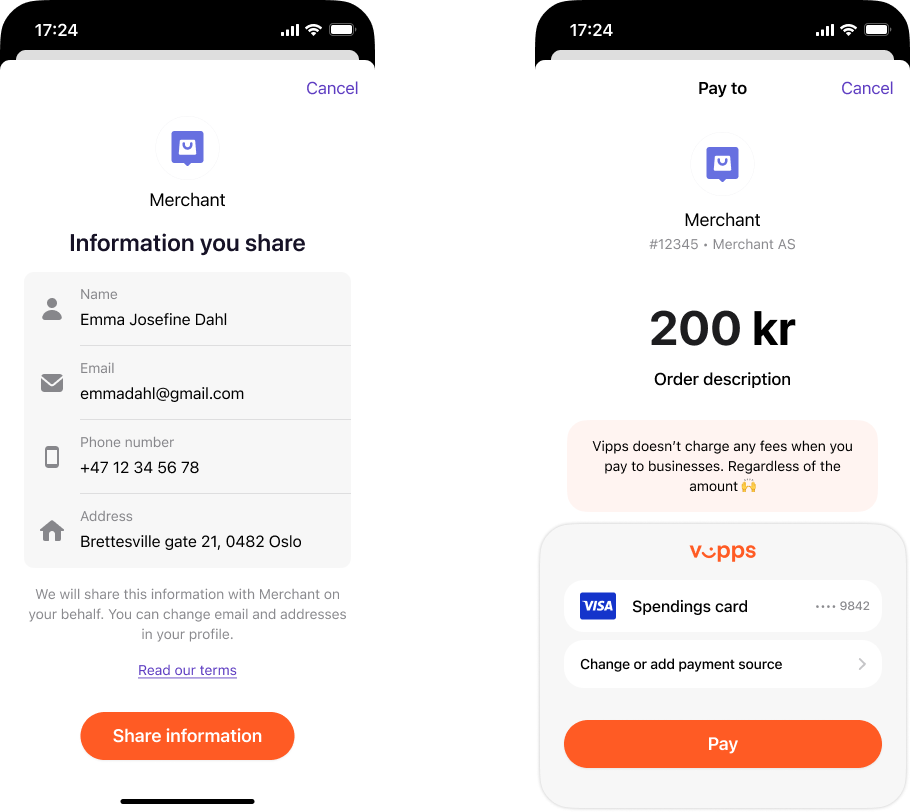
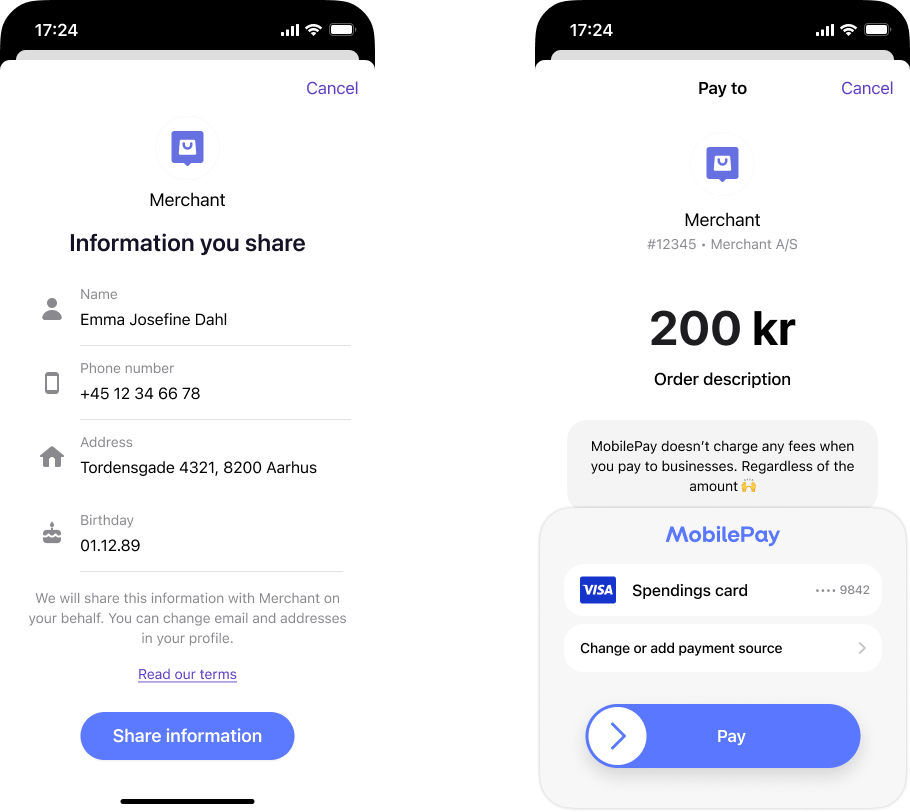
Two-screen profile-sharing flow in the app (Vipps or MobilePay): Left — "Information you share" consent screen with a Share information button. Right — payment screen with a Pay button.
For more about profile sharing and privacy, see:
- Profile sharing feature - Complete guide to requesting and retrieving profile data
5. Customer selects their shipping option
After consenting, the customer sees the available shipping options. They can:
- View their current delivery address
- Change their address if needed
- Select from different shipping methods (home delivery, pickup points, and more)
- Choose specific delivery times or locations
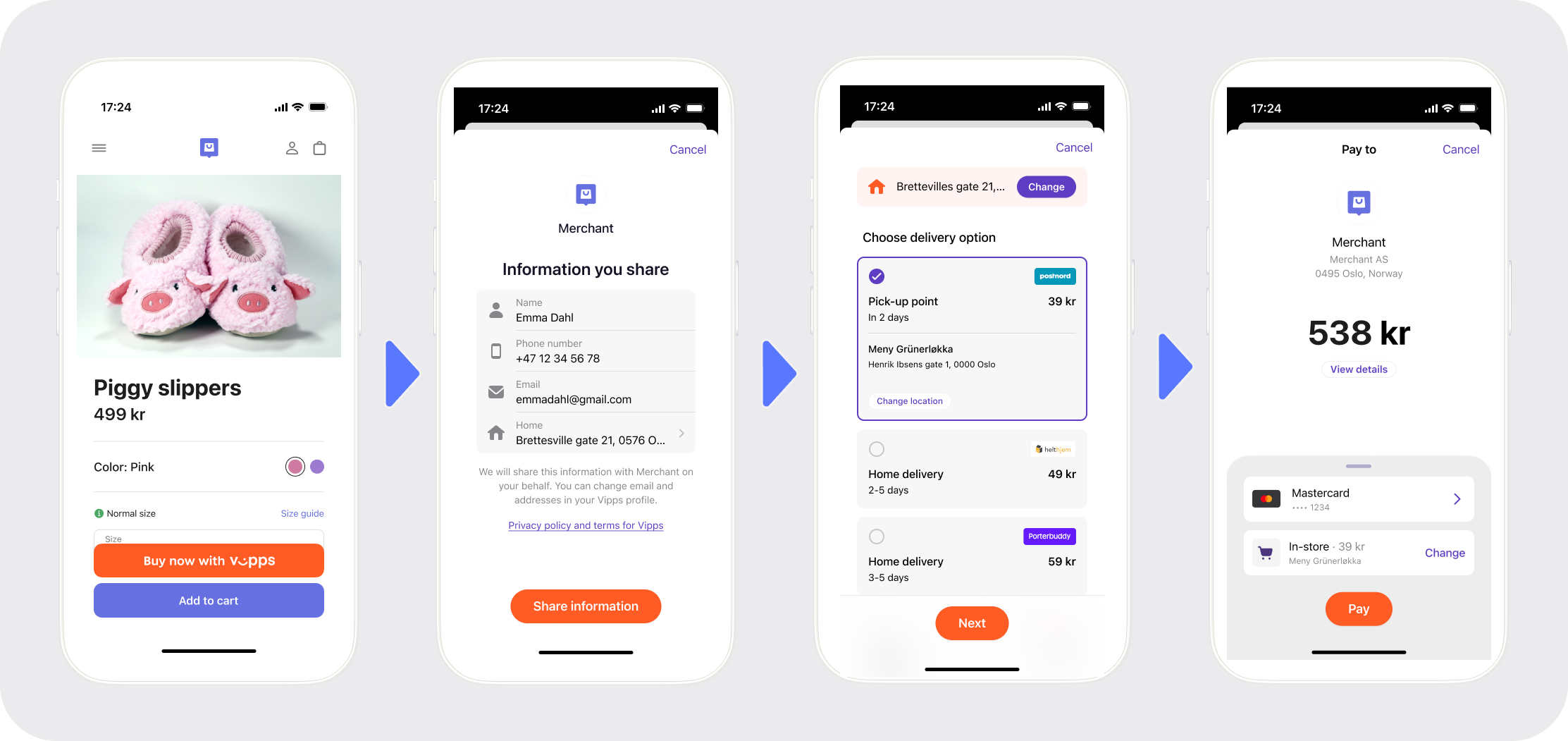
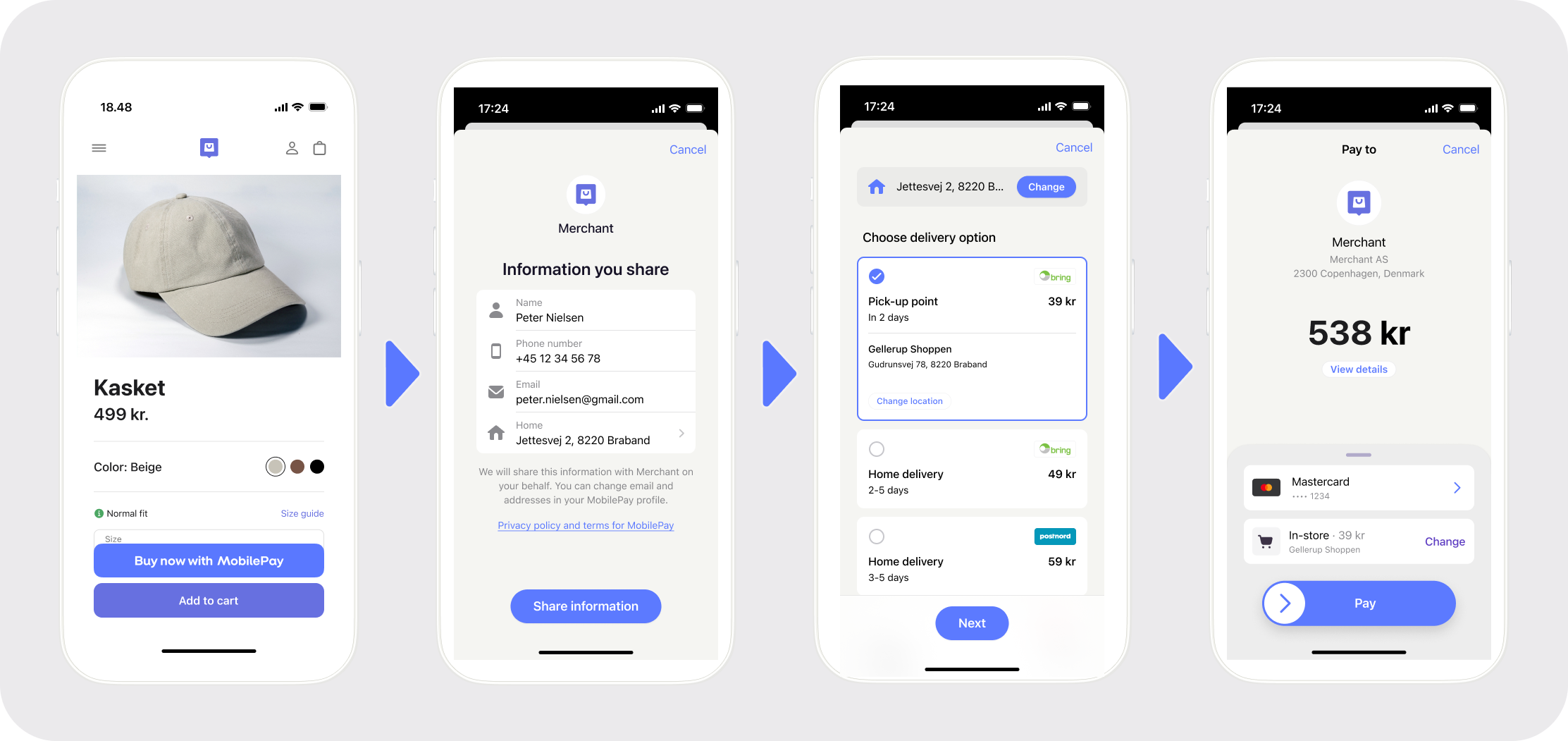
Four-screen Express flow (Vipps or MobilePay): (1) Product page with Express button. (2) Information sharing consent screen. (3) Delivery options with pick-up point and home delivery choices. (4) Payment summary with card and delivery selection.
The customer can update their address by selecting it:
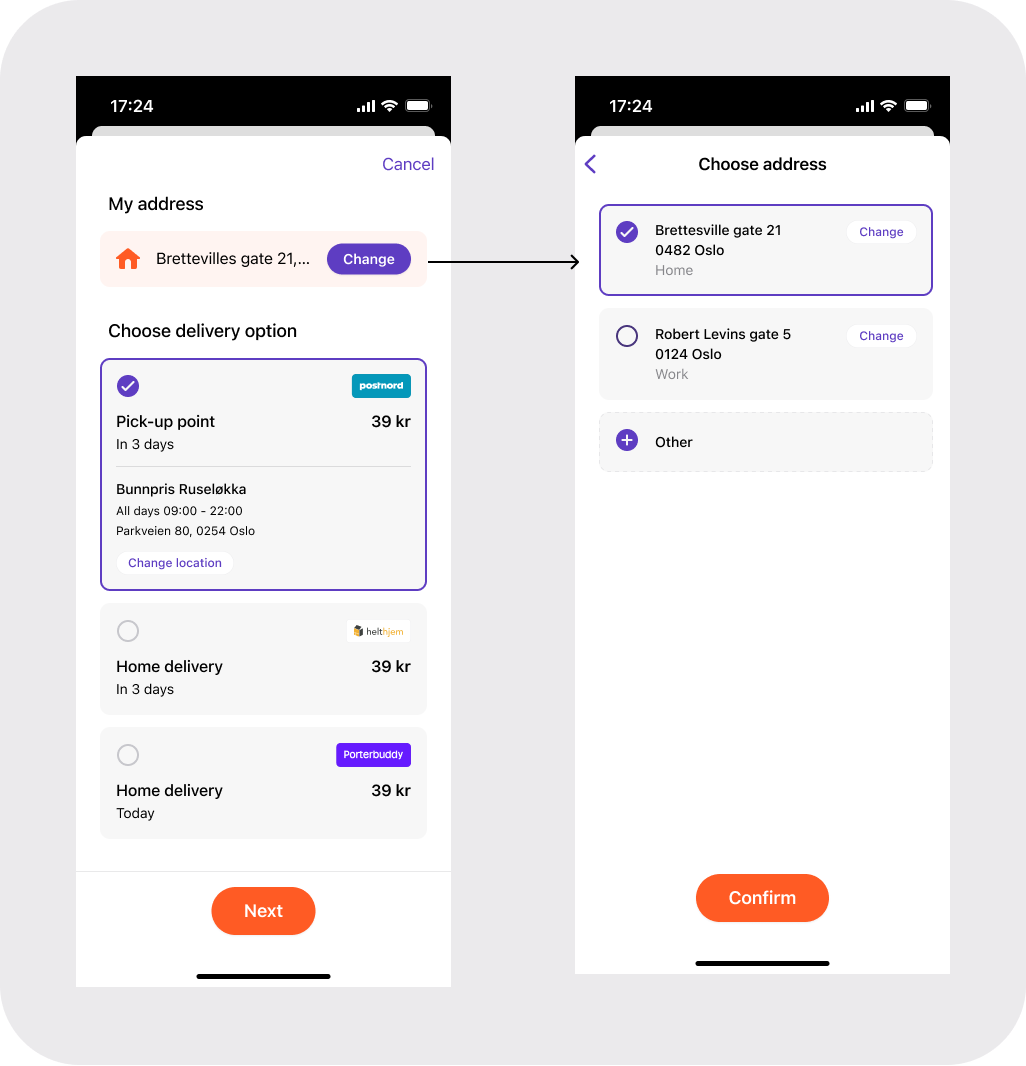
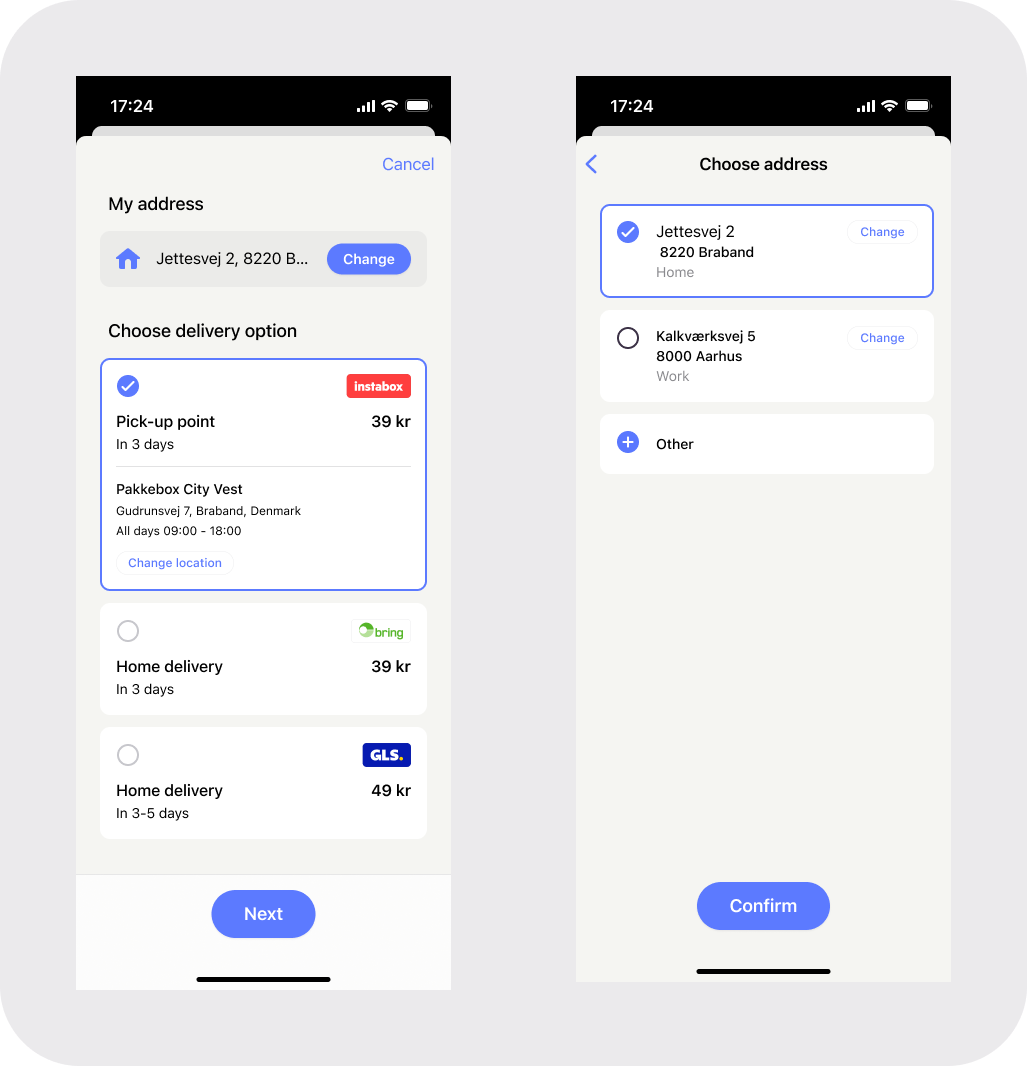
Two-screen address selection during Express: Left — delivery options with a Change button. Right — address selection screen listing saved addresses with an Other option.
If multiple shipping options are available, they can select Change to view all options:
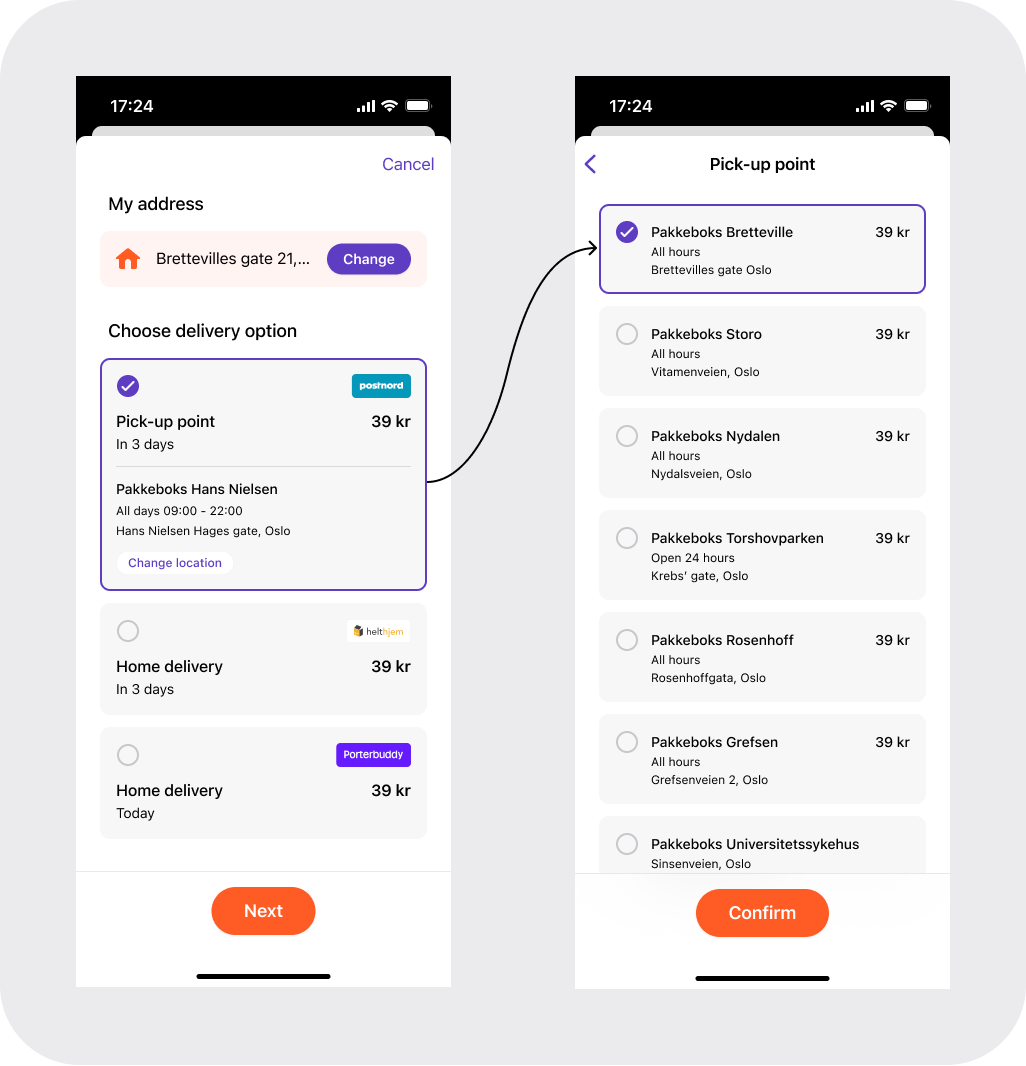
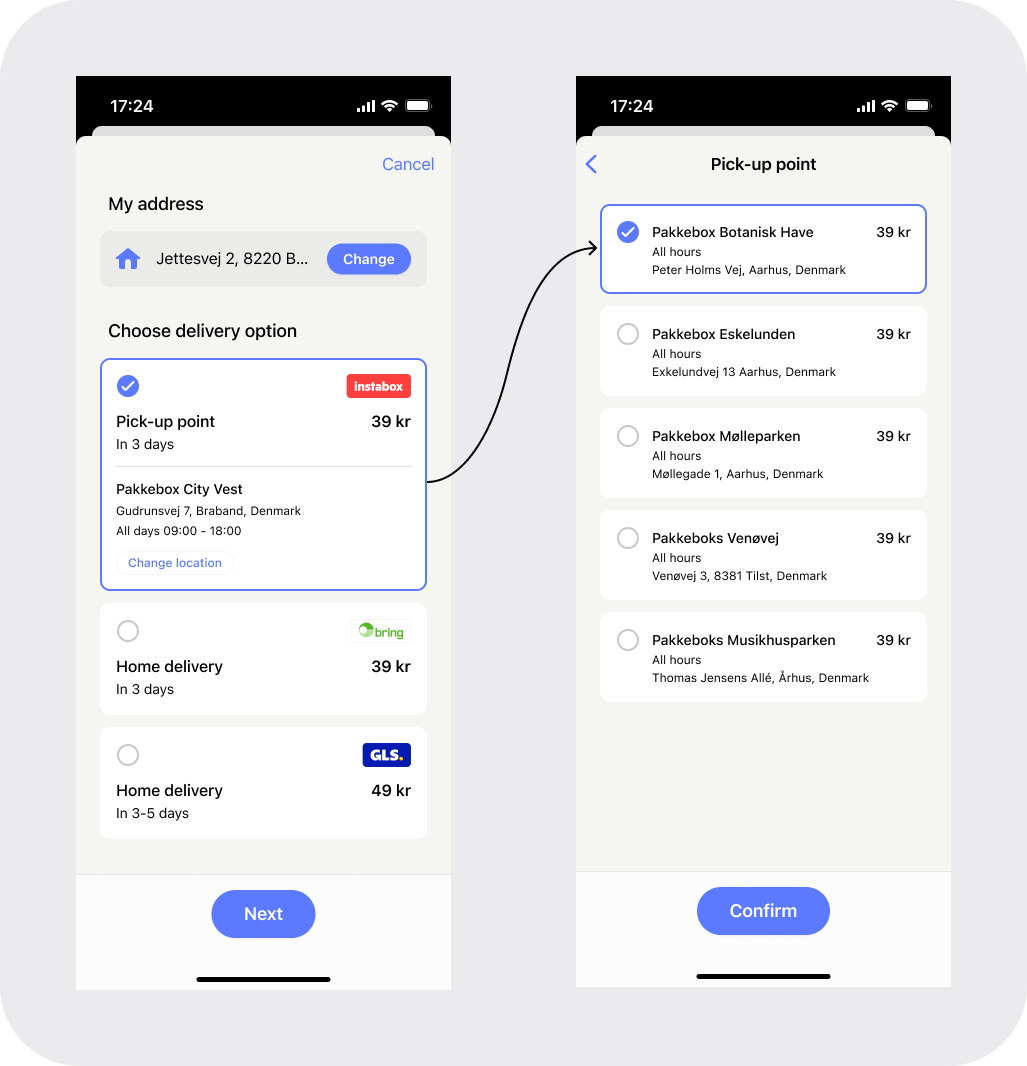
Two-screen shipping option selection during Express: Left — delivery options with a selected pick-up point. Right — a list of available pick-up points and home delivery options to choose from.
For details about configuring shipping options, see Shipping options.
6. Customer confirms the total payment amount
Once the customer has selected their shipping option, the total amount (product price + shipping cost) is displayed. The customer reviews the final amount and confirms the payment.
The ePayment API automatically reserves the total payment amount.
7. The merchant receives the order details
After the customer confirms the payment, the merchant receives:
- Payment confirmation via webhook or by calling
GET:/epayment/v1/payments/{reference} - Customer's shipping address
- Selected shipping option details
- Customer profile information (name, email, phone number)
For details about the response, see Get payment details.
8. The merchant completes the order and shipping
The merchant uses the provided address and shipping preferences to fulfill and ship the order.
Optionally, the merchant can add order information and tracking links using the Order Management API, which will display in the customer's app.
9. The merchant captures the payment
The merchant captures the payment through the ePayment API using POST:/epayment/v1/payments/{reference}/capture.
The payment is transferred to the merchant's account. This may take 2 or 3 days, depending on the bank.
Fixed vs. dynamic shipping options
Merchants can provide shipping options in two ways:
Fixed options - When you know all shipping options in advance, include them in the payment request. This is faster and simpler. See Fixed options.
Dynamic options - When shipping options depend on the customer's address, register a callback endpoint. After the customer consents, we'll send their address to your endpoint, and you respond with available shipping options. See Dynamic options.
Limitations
- The shipping address must be within the same country as the merchant's sales unit registration
- The transaction currency must match the country where the sales unit is registered
For complete details, see Limitations.
Next steps
See Express feature documentation for complete technical implementation details, API specifications, and code examples.
See Recommended flows: Online payments for a streamlined overview of both standard and Express flows.