Collecting consents
You can collect user consents as part of the Vipps Login flow. This allows you to gather marketing consents, terms acceptance, and other consent-based information directly from users during the login process.
Vipps MobilePay will function as a data processor and will not have any ownership of the data involved. See merchant terms and conditions for more information.
Custom flow (recommended)
Custom Flow is the recommended way to collect consents. It provides full flexibility to create custom consent screens with your own content, checkboxes, and flow structure.
If you use Custom Flow and depend on a partner for your integration, ensure your partner supports Custom Flow before implementing it.
Key features
With Custom Flow, you can:
- Create multiple screens with custom titles and descriptions
- Define your own checkbox elements with merchant-specific IDs
- Include "read more" sections for each element
- Have full control over the consent collection experience
- Preview how the flow looks on mobile in real-time
Portal configuration
Custom Flow uses a visual flow builder in the business portal where you can:
- Add multiple pages to your flow
- Set custom titles and descriptions for each page
- Create checkboxes with your own titles and IDs
- Add "Read more" sections with additional information
- Enable explicit consent requirements
Configure Custom Flow on the business portal. For help, see Portal: How to configure Custom Flow.
Technical implementation
To use Custom Flow, include the customFlow scope in your authorization request:
scope=openid name phoneNumber customFlow
The consent results are returned in the flowResult object from the userinfo response.
Example response:
{
  "flowResult": {
    "language": "EN",
    "screens": [
      {
        "title": "Extra consent",
        "description": "Accept terms and conditions",
        "terms": {
          "links": [
            {
              "title": "Terms of Service",
              "url": "https://example.com/terms"
            }
          ]
        },
        "elements": [
          {
            "type": "checkbox",
            "id": "cf_accept_terms",
            "title": "Accept T&C",
            "checked": true,
            "required": true,
            "readMore": {
              "title": "Read more",
              "description": "Details about the custom flow"
            }
          }
        ]
      },
      {
        "title": "Additional consents",
        "description": "Choose what to share",
        "elements": [
          {
            "type": "checkbox",
            "id": "cf_marketing",
            "title": "Marketing consents",
            "checked": false,
            "required": false,
            "readMore": {
              "title": "Why we ask",
              "description": "We'll send occasional updates."
            }
          },
          {
            "type": "checkbox",
            "id": "cf_personalization",
            "title": "Personalization consents",
            "checked": false,
            "required": false,
            "readMore": {
              "title": "Details",
              "description": "Helps tailor your experience."
            }
          }
        ]
      }
    ],
    "timeOfConsent": "2026-01-17T09:31:00Z"
  }
}
Usage by integration type
The behavior of Custom Flow depends on the integration type:
Browser flow with custom flow
Custom Flow consents are remembered for the user, so they only need to approve them once. If the user has already approved the consents, they will not see the screen again.
Merchant-initiated login with custom flow
Users will be asked for Custom Flow consents every time they log in.
For implementation details, see:
Marketing consents (legacy)
Marketing Consents is the legacy consent collection method. We recommend using Custom Flow for new integrations, as it provides more flexibility and customization options.
Marketing Consents uses predefined consent types that you can enable or disable. This method is simpler but offers less flexibility than Custom Flow.
Getting started with marketing consents
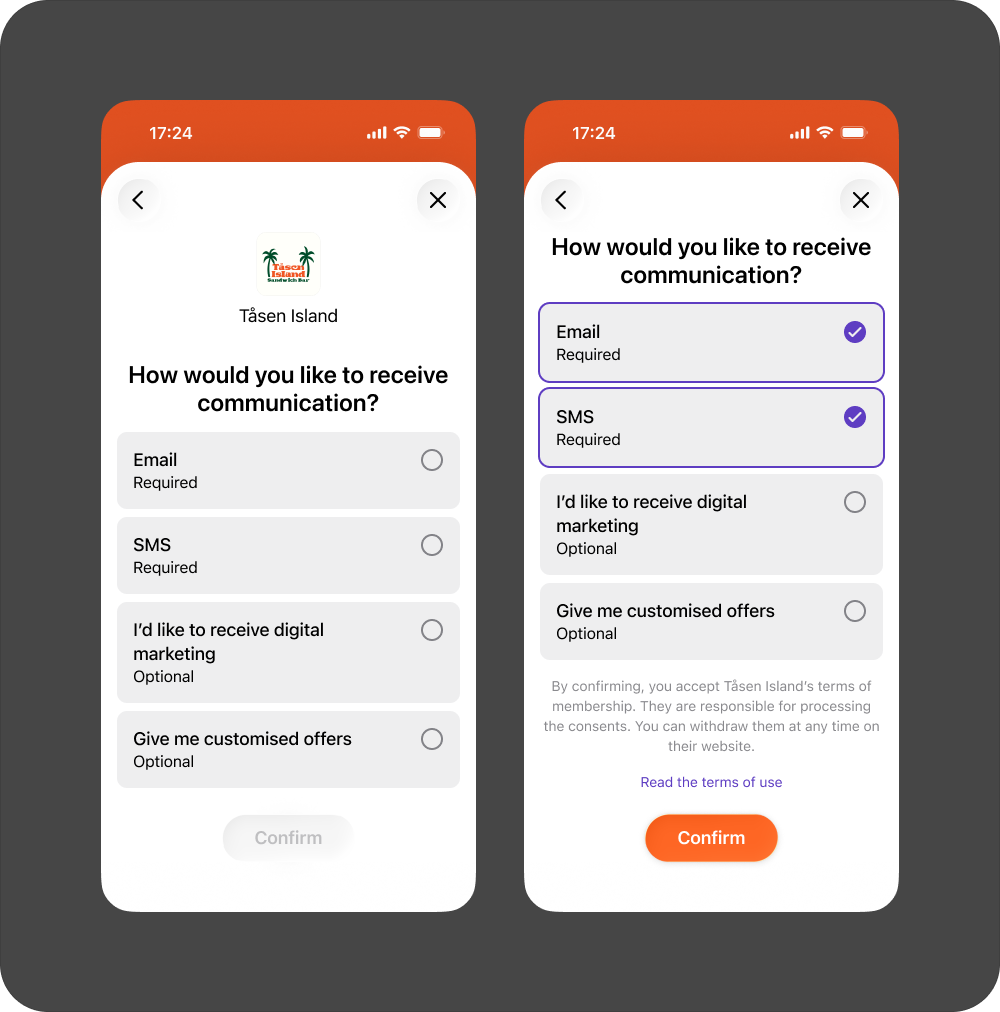
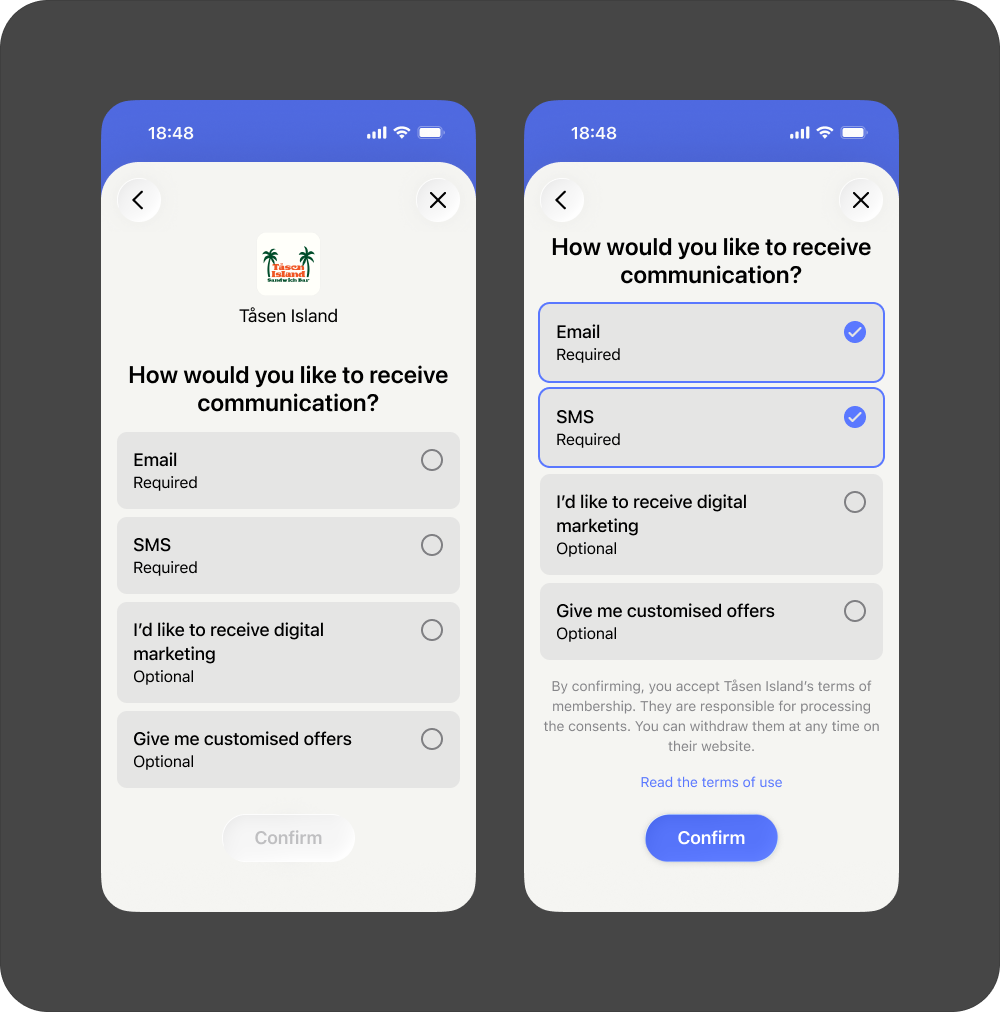
Some elements on the marketing consents screen can be adjusted to fit your needs:
- The consents requested (both mandatory and optional). The user must acknowledge the mandatory consents before they can complete the flow.
- A bottom text where we provide some contextual information. The text is fixed, but the links will point to the merchant's terms and conditions, as well as privacy statement.
Configure marketing consents on the business portal. For help, see Portal: How to configure marketing consents.
- Vipps
- MobilePay
Supported consents
Login has support for the following predefined consent types. You may use any of these in your flow, specifying if they are required or optional.
- English
- Norwegian
- Danish
- Finnish
Consent text (English):
email- Emailsms- SMSdigital- I'd like to receive digital marketingpersonal- Give me customized offers
Consent text (Norwegian):
email- E-postsms- SMSdigital- Jeg vil motta digital markedsføringpersonal- Gi meg tilpassede tilbud
Consent text (Danish):
email- E-mailsms- SMSdigital- Jeg vil gerne modtage digital markedsføringpersonal- Giv mig skræddersyede tilbud
Consent text (Finnish):
email- Sähköpostiosoitesms- Tekstiviestidigital- Haluan vastaanottaa digitaalista markkinointiapersonal- Anna minulle räätälöityjä tarjouksia
If you want a consent type that we currently don't support, reach out to us at agreement@vippsmobilepay.com.
Technical implementation
To use Marketing Consents, include the delegatedConsents scope in your authorization request:
scope=openid name phoneNumber delegatedConsents
The consent results are returned in the delegatedConsents object from the userinfo response.
Usage by integration type
The behavior of the marketing consents screen depends on the integration type:
Browser flow with marketing consents
Marketing consents are remembered for the user, so they only need to approve them once. This means that if the user has already approved the consents, they will not see the screen again. Forcing previously consented users to consent to new terms can be managed in the business portal when you save a new Marketing Consent configuration.
Merchant-initiated login integration with marketing consents
Users will be asked for marketing consents every time they log in.
For implementation details, see:
Comparison
| Aspect | Marketing Consents (delegatedConsents) | Custom Flow (customFlow) |
|---|---|---|
| Status | Legacy | Recommended |
| Response field | delegatedConsents | flowResult |
| Element IDs | Predefined (email, sms, digital, personal) | Merchant-defined (e.g., cf_marketing) |
| Screens | Single screen | Multiple configurable screens |
| Configuration | Portal configuration page | Portal flow builder |
| Text customization | Limited to predefined types | Fully customizable titles and descriptions |
| Read more section | Not available | Available per element |
Migration
If you're currently using Marketing Consents and want to migrate to Custom Flow, see our detailed migration guide.
The migration involves:
- Creating a new flow in the business portal
- Publishing the flow
- Updating your backend to parse
flowResultinstead ofdelegatedConsents - Changing the scope from
delegatedConsentstocustomFlow
See also
- Userinfo - How to retrieve user information including consent results
- Migrate to Custom Flow - Detailed migration guide from Marketing Consents to Custom Flow