Order Management API
Install AI tools
Give your assistant up-to-date guidance for our APIs, with our plugin or without it.
The plugin is still under development. See the AI tools page for details.
- Claude Code
- Cursor
- Codex
- Without installing
Run both commands, in order.
claude plugin marketplace add vippsas/agent-toolkit
claude plugin install vipps-developer@agent-toolkit
Open Settings, then Plugins.
Add vippsas/agent-toolkit as a plugin marketplace, then install the "vipps-developer" plugin.
For the app, add the marketplace "vippsas/agent-toolkit" and then install "vipps-developer". For the CLI, run the following commands.
codex plugin marketplace add vippsas/agent-toolkit
codex plugin add vipps-developer@agent-toolkit
Paste this into any assistant.
Read https://github.com/vippsas/agent-toolkit/blob/main/plugins/vipps-developer/README.md for Vipps MobilePay integration guidance.
For troubleshooting, see the full instructions.
The Order Management API empowers merchants to enrich payments with valuable details, creating a more engaging and seamless customer experience.
Customers can view these order details in their Vipps or MobilePay app:
- Immediately after completing in-store purchases
- In their order history, accessible at any time
- During long-living payments, when applicable
By leveraging Order Management, you can communicate more effectively with your customers through payment details in the app. The aim is to provide customers with greater convenience, a better overview of their purchases, and a more engaging shopping experience when using Vipps MobilePay for your products and services. Additionally, you can use links in the activity overview to direct customers back to your website or app.
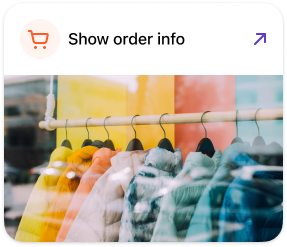
Screenshot: App action card with a 'Show order info' button featuring a shopping cart icon and external link arrow, and a preview photo of clothing on a rack below.
When to use this API
Order Management works with recurring payments and direct payments via eCom and ePayment. It is not supported for pass-through payments.
With the ePayment API, some of this is built into the payment request, so what you need from this API depends on the task:
| You want to | Use |
|---|---|
| Add order lines with an ePayment payment | receipt on createPayment, one call instead of three |
| Add order details to a Recurring or eCom payment | This API |
| Add order details after the payment was made | This API |
| Add a link button or an image in the app | This API, as a category |
| Read the order details back | This API. The ePayment API does not return them yet. |
See Fetching category and order details for reading them back.
Start building
Follow the quick start to make your first Order Management API requests.
Technical details
- API quick start guide: Run the basic examples in curl or a graphical API client.
- API guide: Learn about the features.
- API reference: Get straight to the endpoint specifications.
If you're new to the platform, see Integration quick start guide for information about API keys, product activation, and the test environment.