How the ePayment PSP API works with online payments
Install AI tools
Give your assistant up-to-date guidance for our APIs, with our plugin or without it.
The plugin is still under development. See the AI tools page for details.
- Claude Code
- Cursor
- Codex
- Without installing
Run both commands, in order.
claude plugin marketplace add vippsas/agent-toolkit
claude plugin install vipps-developer@agent-toolkit
Open Settings, then Plugins.
Add vippsas/agent-toolkit as a plugin marketplace, then install the "vipps-developer" plugin.
For the app, add the marketplace "vippsas/agent-toolkit" and then install "vipps-developer". For the CLI, run the following commands.
codex plugin marketplace add vippsas/agent-toolkit
codex plugin add vipps-developer@agent-toolkit
Paste this into any assistant.
Read https://github.com/vippsas/agent-toolkit/blob/main/plugins/vipps-developer/README.md for Vipps MobilePay integration guidance.
For troubleshooting, see the full instructions.
A step-by-step walkthrough of an online payment using CARD_PASSTHROUGH, from the checkout page
to the final status update.
Details
1. Customer selects Vipps or MobilePay as their payment method
On the checkout page, the customer chooses to pay with Vipps or MobilePay.
Show Vipps MobilePay as visibly as the other payment methods at checkout. See the brand guidelines for checkout.
- Vipps
- MobilePay
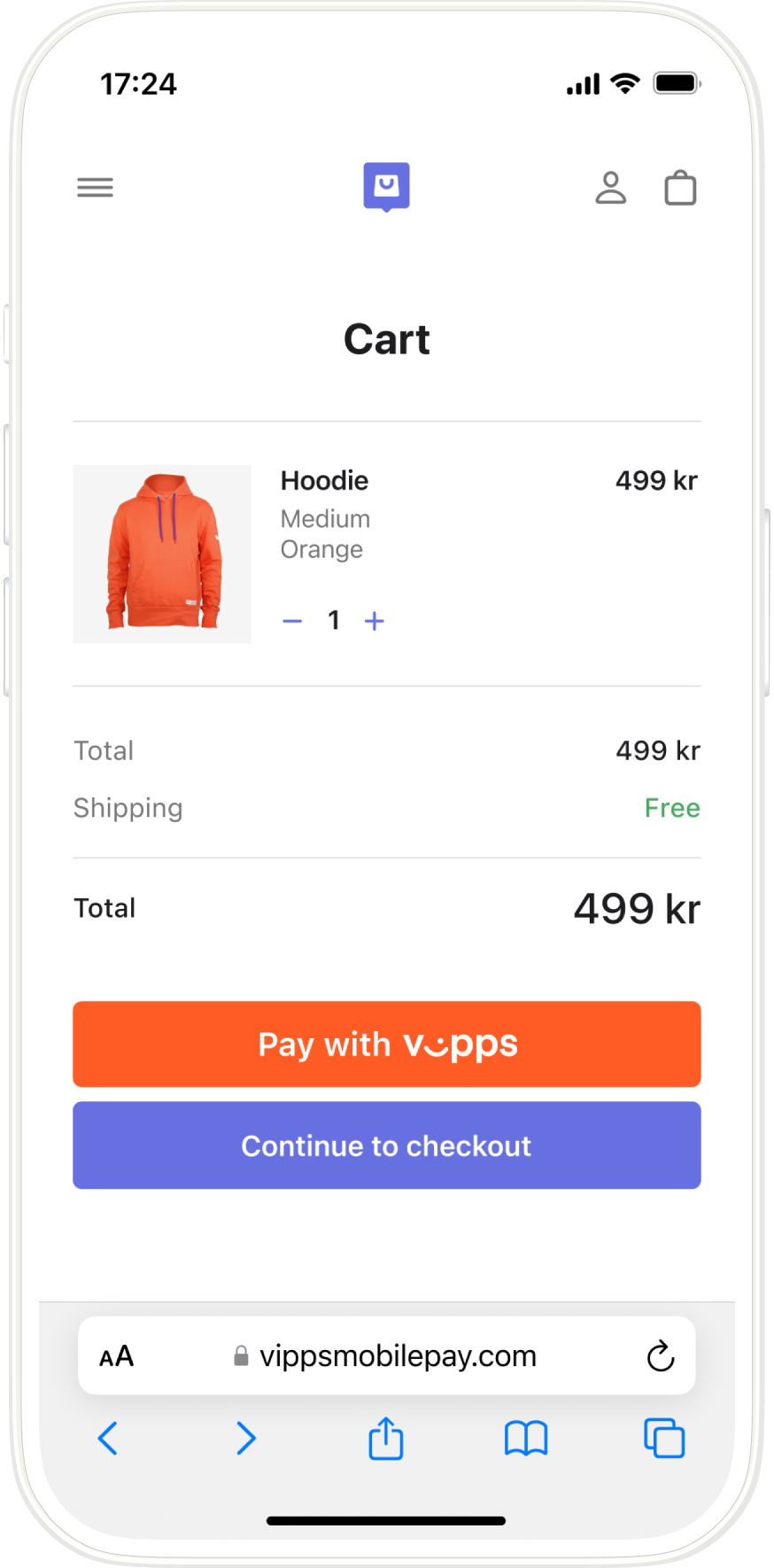
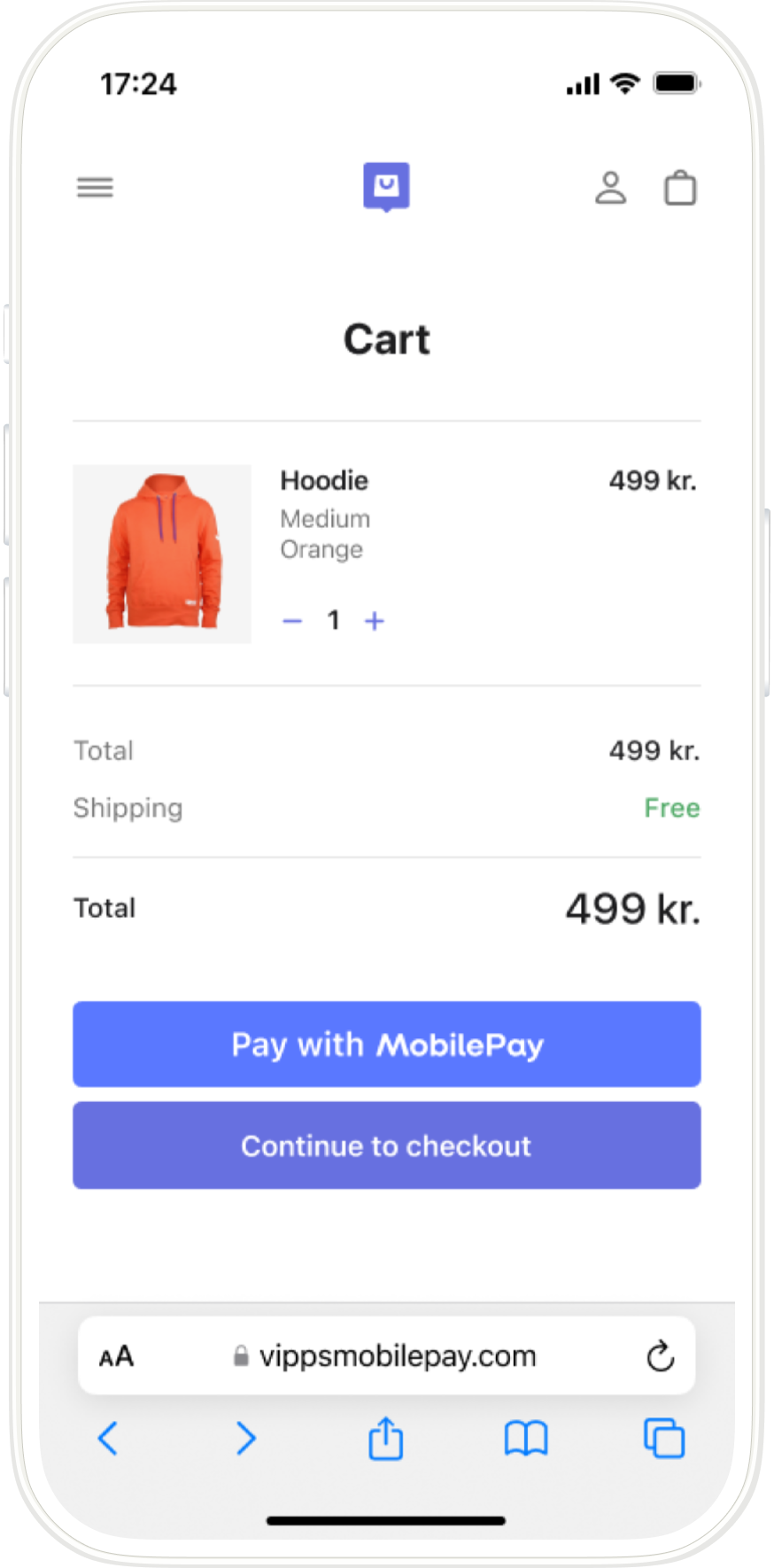
Screenshot: Mobile merchant cart page showing product details and a Pay with Vipps or Pay with MobilePay button.
2. The PSP creates a payment request
When the customer selects to pay with Vipps or MobilePay, the PSP creates a payment request by sending
a POST:/epayment/v1/payments request with:
paymentMethod.typeset toCARD_PASSTHROUGHpspobject with their server URL specified in thecallbackUrlfield- Other required parameters
For a full example, see Create a single online payment.
3. Customer opens the Vipps or MobilePay app
The Widget SDK handles the transition from the website to the Vipps or MobilePay app automatically.
If the payment was started on a mobile device, the Vipps or MobilePay app opens automatically.
If the payment was started on a desktop device, a payment dialog opens. The customer enters their phone number and the payment request is sent to the app on their phone.
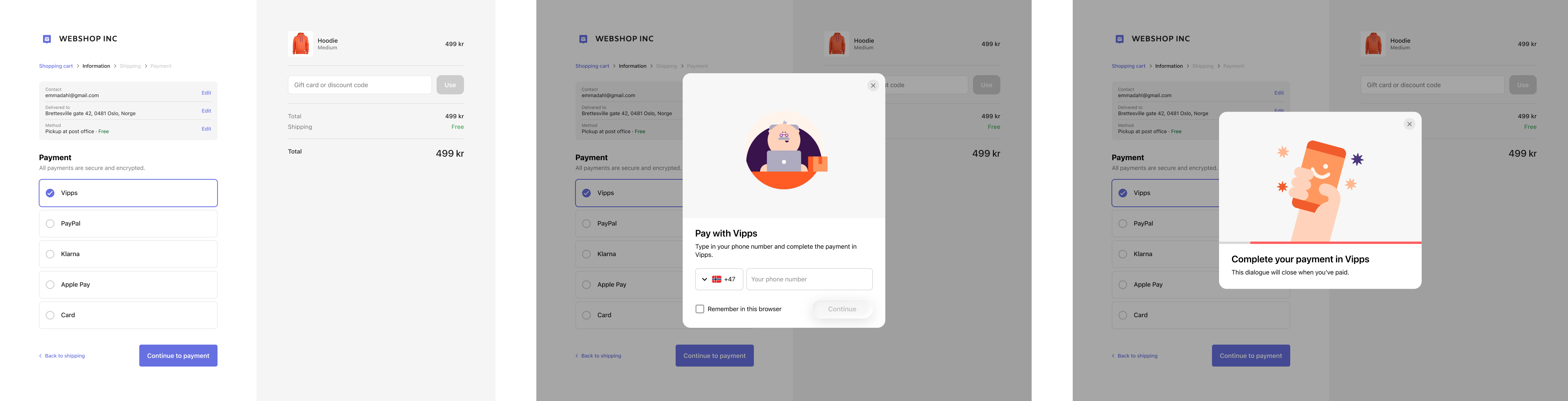
Screenshots showing the flow: 1. The merchant's checkout page with Vipps selected as the payment method. The dialog is not yet open. 2. A dialog showing a phone number entry form. The checkout page is visible and dimmed behind the dialog. 3. A dialog prompting the customer to open the Vipps app to complete the payment.
4. Customer selects a card and confirms
The customer selects a card stored in their Vipps or MobilePay app and confirms the payment.
- Vipps
- MobilePay
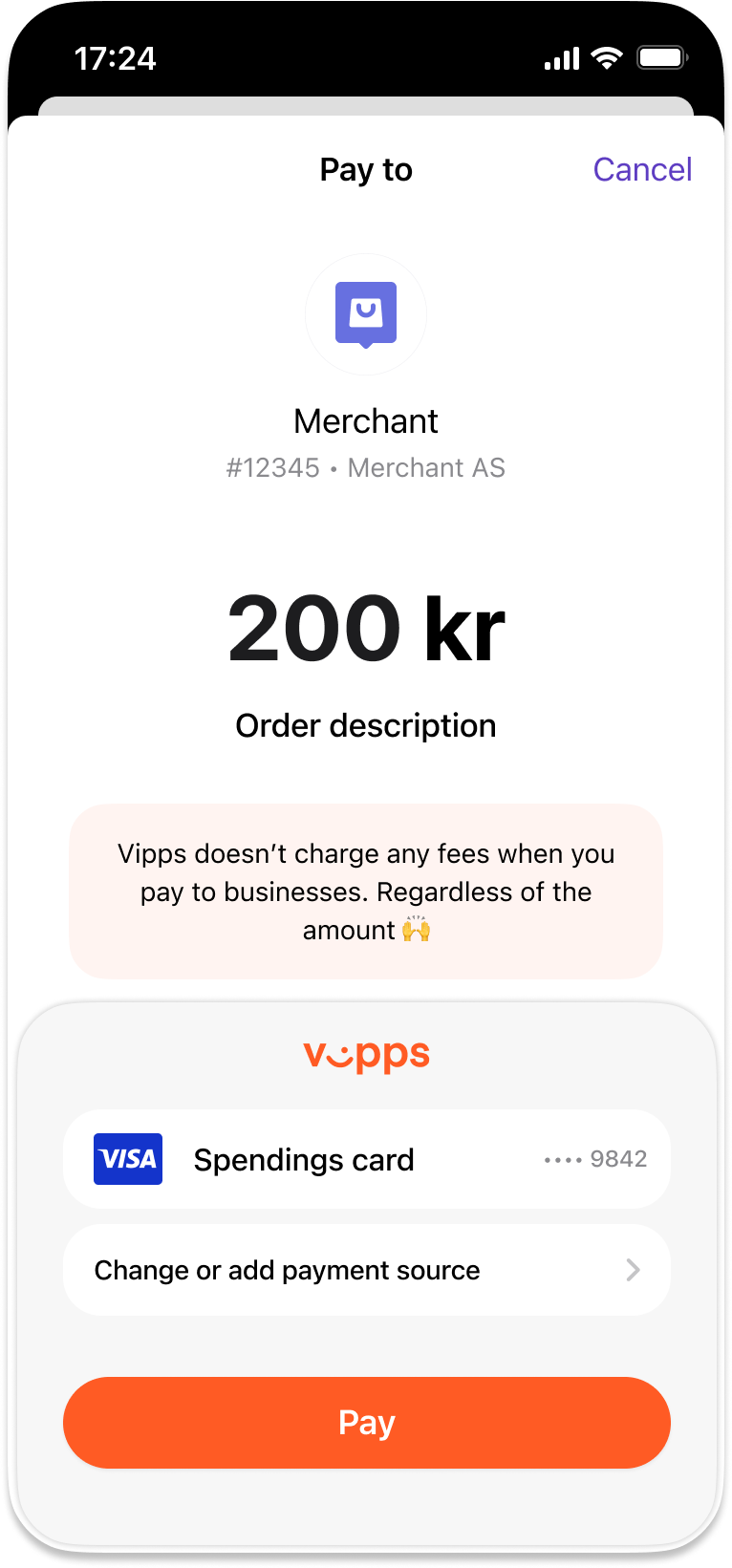
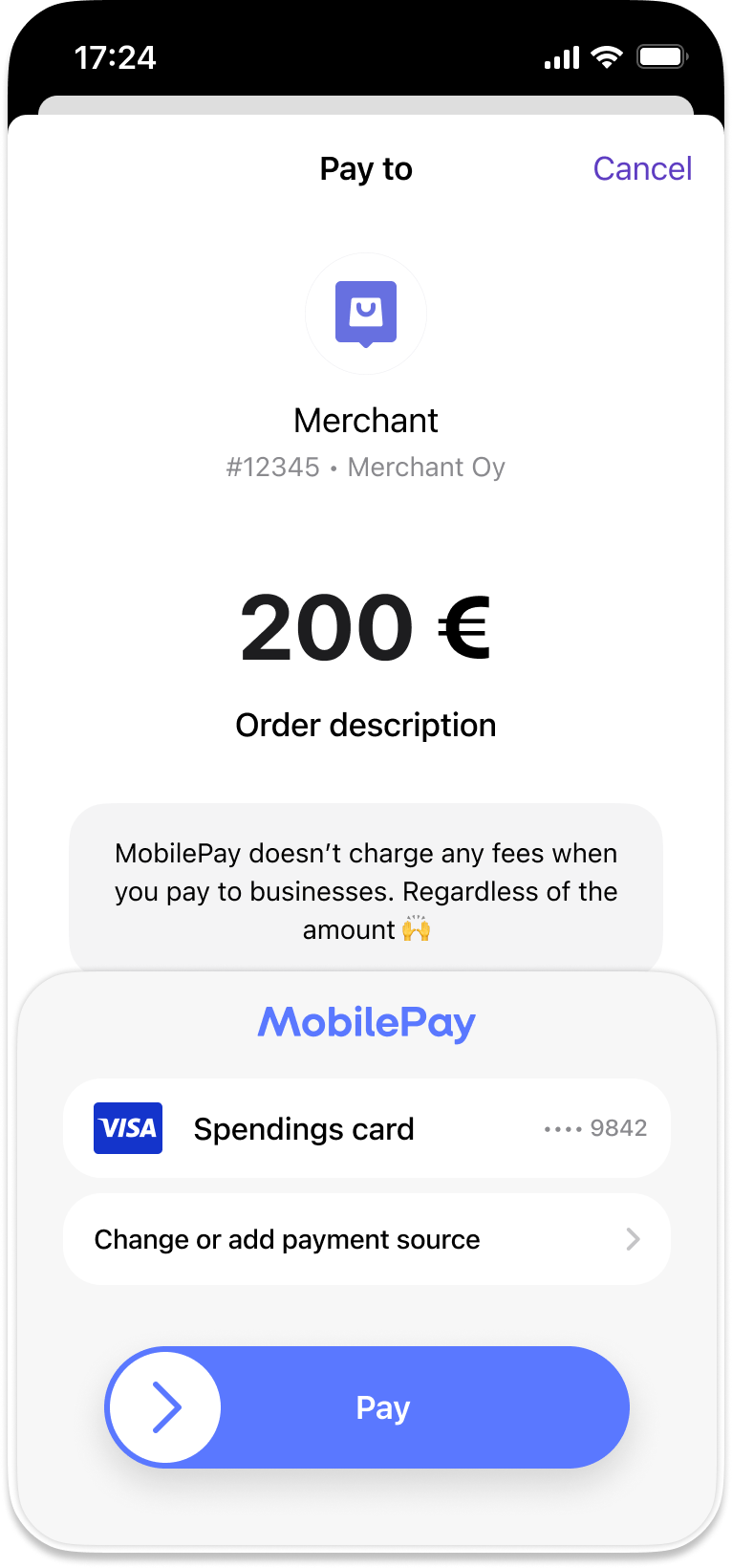
Screenshot: Vipps or MobilePay app payment screen showing the merchant name, order description, selected payment card, and a Pay button.
5. The merchant learns the outcome from webhooks and polling
The merchant's system has no visibility into what happens in the app, so a webhook is how it learns that the payment will not be completed:
epayments.payment.aborted.v1: the customer canceled the payment in the app.epayments.payment.expired.v1: the customer did not confirm the payment in time, 10 minutes by default.
On either event, the order remains unpaid and the customer is returned to the checkout page, where they can try again or select another payment method. No card callback follows, and the flow ends here.
Register the webhook before creating the payment, so no event is missed while the customer is paying. See Webhooks for what to register as a PSP and how to handle the events.
6. Vipps MobilePay sends the card token to the PSP
Vipps MobilePay sends a card token to the PSP's server, specified as psp.callbackUrl in the create payment
request.
7. The PSP processes the payment and responds to the card callback
The PSP processes the payment through its own acquiring infrastructure using the card token, then responds to the callback within 20 seconds. See Card callback for the request format, HMAC authentication, and expected response.
A RESERVE response reserves the amount for a later capture; it does not move the money. The payment is now
authorized, and the merchant's system can confirm this through the epayments.payment.authorized.v1 webhook.
The customer is then redirected to the merchant's returnUrl and sees the order confirmation.
8. The PSP captures the payment
The PSP captures the payment in its own systems. It then sends a capture request to the ePayment API, which does not move any money; it only tells Vipps MobilePay to update the status so the customer sees the payment as captured in their app.
Refunds and cancellations use the same endpoints, but happen later and only if something goes wrong. See Update payment status.
Sequence diagram
Online payment flow for PSPs
- Customer selects Vipps or MobilePay at checkout.
- PSP initiates the payment via the ePayment API with card passthrough and a card callback URL.
- ePayment API returns a redirectUrl and payment reference to the PSP.
- PSP handles the app switch with the redirectUrl. We recommend using the Widget SDK for this.
- ePayment API requests the payment in the customer's Vipps or MobilePay app.
- Customer selects a card and clicks pay.
- Webhooks API sends the merchant's system an aborted or expired event if the customer does not accept the payment.
- Merchant's system gets the payment from the ePayment API, as a backup if the webhook is delayed or missed.
- ePayment API returns the current state of the payment.
- If the payment was aborted or expired, the customer is returned to the checkout page and the flow ends.
- If the customer accepts the payment, the ePayment API sends the card token to the PSP's card callback URL.
- PSP processes the payment in its own acquiring systems and responds to the callback with a reserve status within 20 seconds.
- PSP displays the order confirmation at the return URL.
- PSP sends the capture status to the ePayment API, so the customer sees it as captured in the app.
More information
For technical details, see the ePayment PSP API guide.