How one-time payment QRs work for PSPs
Install AI tools
Give your assistant up-to-date guidance for our APIs, with our plugin or without it.
The plugin is still under development. See the AI tools page for details.
- Claude Code
- Cursor
- Codex
- Without installing
Run both commands, in order.
claude plugin marketplace add vippsas/agent-toolkit
claude plugin install vipps-developer@agent-toolkit
Open Settings, then Plugins.
Add vippsas/agent-toolkit as a plugin marketplace, then install the "vipps-developer" plugin.
For the app, add the marketplace "vippsas/agent-toolkit" and then install "vipps-developer". For the CLI, run the following commands.
codex plugin marketplace add vippsas/agent-toolkit
codex plugin add vipps-developer@agent-toolkit
Paste this into any assistant.
Read https://github.com/vippsas/agent-toolkit/blob/main/plugins/vipps-developer/README.md for Vipps MobilePay integration guidance.
For troubleshooting, see the full instructions.
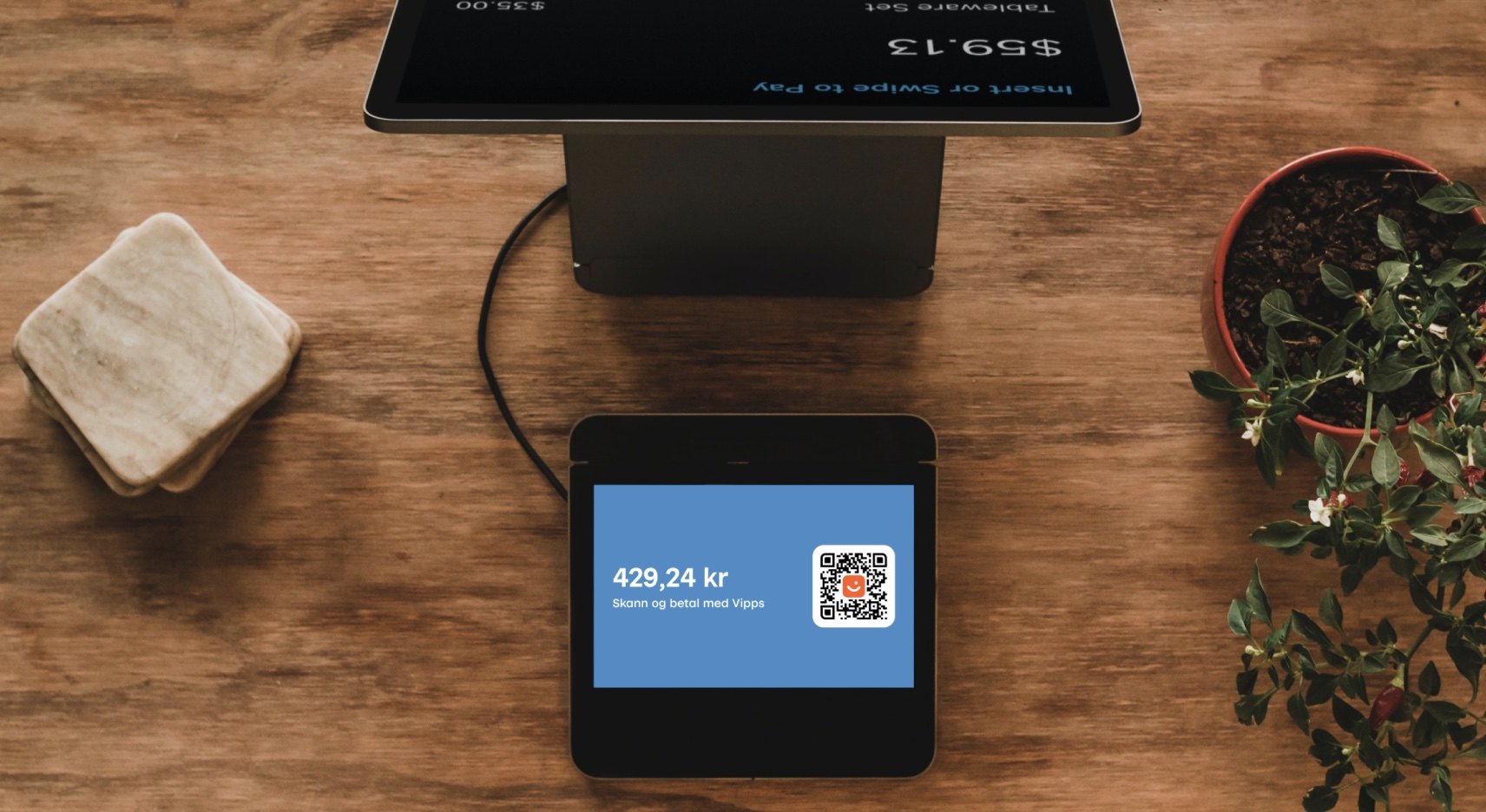
This flow uses a one-time payment QR (a dynamic QR) shown on a screen, for PSPs using CARD_PASSTHROUGH with the
ePayment API.
Flow diagram: A one-time payment QR code displayed on a screen. The customer scans the QR code with the Vipps or MobilePay app to authorize the payment.
The QR directs the customer to the Vipps or MobilePay app, where they select a card and authorize the payment.
Details
A one-time payment QR code is presented on the vending machine or screen. The QR code is a dynamic representation of the payment URL, and the customer needs to scan it and pay within 10 minutes.
1. The customer selects their products
The customer either scans their own products or hands them to an attendant.
2. The merchant's system requests a payment and dynamic QR code
When the customer selects a product, the system generates the payment request with a dynamic QR code by sending a
POST:/epayment/v1/payments request with:
paymentMethod.typeset toCARD_PASSTHROUGHuserFlowset toQR(optionally specifyqrFormat.format, andqrFormat.sizefor PNG)"customerInteraction": "CUSTOMER_PRESENT"(required by regulation)pspobject with the PSP's server URL specified in thecallbackUrlfield- Other required parameters
Since the customer scans the QR from their own phone, they don't need to supply a phone number.
For a full example, see Create a QR payment.
3. Vipps MobilePay returns the QR code
Vipps MobilePay returns the one-time payment QR in the create payment response.
4. The merchant's system displays the QR on the screen
The merchant's system displays the one-time payment QR on a screen facing the customer.
5. The customer scans the QR and confirms the payment
The customer scans the QR code and is directed to the Vipps or MobilePay app, where they select a stored card and confirm the payment. They have 10 minutes from when the QR is created.
6. The merchant learns the outcome from webhooks and polling
The merchant's system has no visibility into what happens in the app, so a webhook is how it learns that the payment will not be completed:
epayments.payment.aborted.v1: the customer canceled the payment in the app.epayments.payment.expired.v1: the customer did not confirm within 10 minutes.
On either event, the merchant's system removes the QR from the screen, releases the cart in the POS, and lets the customer start over. No card callback follows, and the flow ends here.
Register the webhook before the QR is displayed, so no event is missed while the customer is paying. See Webhooks for what to register as a PSP and how to handle the events.
7. Vipps MobilePay sends the card token to the PSP
When the customer confirms the payment and selects their card, Vipps MobilePay sends a card token to the PSP's
psp.callbackUrl.
8. The PSP processes the payment and responds to the card callback
The PSP processes the payment through its own acquiring infrastructure using the card token, then responds to the callback within 20 seconds. See Card callback for the request format, HMAC authentication, and expected response.
A RESERVE response reserves the amount for a later capture; it does not move the money. The payment is now
authorized, and the merchant's system can confirm this through the epayments.payment.authorized.v1 webhook.
9. The PSP confirms the payment to the POS and to Vipps MobilePay
The PSP tells the merchant's system that the payment succeeded, so the POS can complete the sale and release the goods to the customer.
The PSP captures the payment in its own systems. It then sends a capture request to the ePayment API, which does not move any money; it only tells Vipps MobilePay to update the status so the customer sees the payment as captured in their app.
Refunds and cancellations use the same endpoints, but happen later and only if something goes wrong. See Update payment status.
Sequence diagram
One-time payment QR flow for PSPs
- Customer selects their products.
- Merchant's system requests a payment via the ePayment API with card passthrough and a QR user flow.
- ePayment API returns the one-time payment QR to the merchant's system.
- Merchant's system displays the one-time QR on a screen facing the customer.
- Customer scans the QR, selects a card, and confirms the payment.
- Webhooks API sends the merchant's system an aborted or expired event if the customer does not accept the payment.
- Merchant's system gets the payment from the ePayment API, as a backup if the webhook is delayed or missed.
- ePayment API returns the current state of the payment.
- If the payment was aborted or expired, the merchant's system removes the QR and releases the cart in the POS, and the flow ends.
- If the customer accepts the payment, the ePayment API sends the card token to the PSP's card callback URL.
- PSP processes the payment in its own acquiring systems and responds to the callback with a reserve status within 20 seconds.
- PSP confirms the payment in the POS and completes the sale.
- PSP sends the capture status to the ePayment API, so the customer sees it as captured in the app.
More information
- For technical details, see the ePayment PSP API guide.
- For QR code generation options, see ePayment Features: Payment through a QR.