Recurring API card passthrough for PSPs is in development and targeted for Q2/Q3 2026.
How the Recurring PSP API works
How subscription agreement sign-up and charging work for PSPs using card passthrough with the Recurring API.
There are three main flows: agreement sign-up, charge creation, and payment source update.
Agreement sign-up
- Vipps
- MobilePay
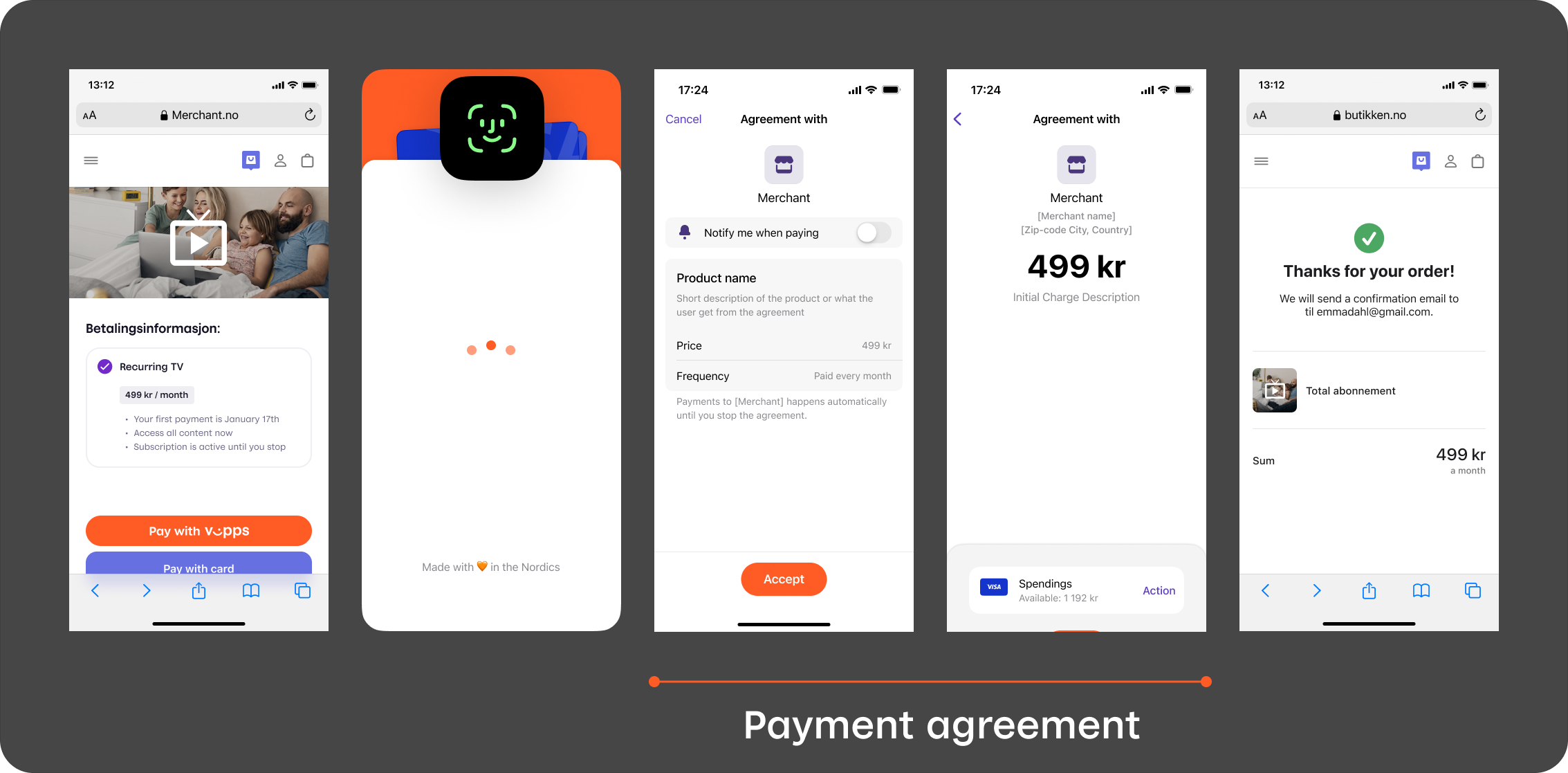
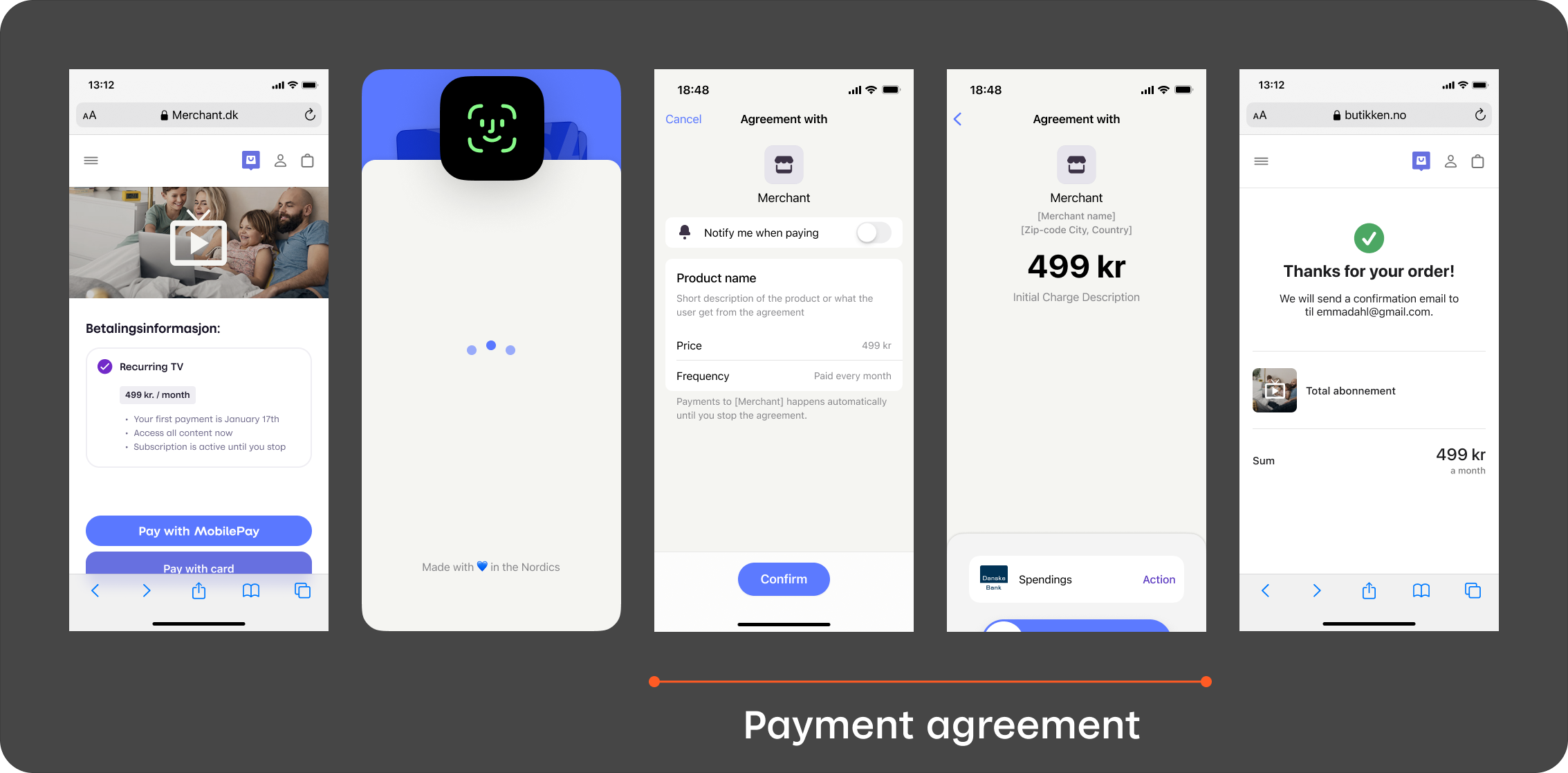
1. Customer selects a subscription
On the merchant's website or app, the customer chooses to subscribe and pay with Vipps or MobilePay.
2. The PSP drafts an agreement
The PSP drafts an agreement with POST:/recurring/v3/agreements, including the cardPassthrough object with a cardCallbackUrl. An optional initialCharge sets the upfront payment amount — if omitted, a zero-amount verification is performed instead. See Agreement sign-up for the full request details.
3. Customer opens the Vipps or MobilePay app
If the agreement was initiated on a mobile device, the Vipps or MobilePay app opens automatically.
 or MobilePay
  app opens automatically.
If initiated on a desktop device, the landing page opens. The customer enters their phone number and the agreement request is sent to their phone.
4. Customer selects a card and approves the agreement
The customer reviews the agreement terms, selects a card stored in their Vipps or MobilePay app, and confirms.
5. Vipps MobilePay sends the card token to the PSP
Vipps MobilePay posts the card token to the PSP's cardCallbackUrl. The PSP processes the CIT (Customer-Initiated Transaction) and responds within 20 seconds to confirm the agreement. See Card callback.
6. The customer is redirected and the agreement is active
The customer is redirected to the merchant's merchantRedirectUrl and sees a confirmation. The PSP can now start creating charges according to the agreement terms.
Charge creation
Charge creation is PSP-initiated — there is no user interaction. The PSP creates a charge against an active agreement, receives the card token directly in the response, processes the payment, and updates the charge status.
- The PSP creates a charge with
POST:/recurring/v3/agreements/{agreementId}/charges, including thePsp-Idheader. - Vipps MobilePay returns the card token in the response.
- The PSP processes the payment using its own acquiring infrastructure.
- The PSP updates the charge status (capture, refund, or cancel) to keep Vipps MobilePay in sync.
See Charge creation for the full request details.
Payment source update
When a user changes their card on an existing agreement in the app, Vipps MobilePay sends a zero-amount CIT to the PSP's cardCallbackUrl to verify the new card. The flow is identical to the card callback in agreement sign-up — no action is needed from the merchant's website.
More information
- For technical details, see the Recurring PSP API guide
- For more agreement and charge flow examples, see How the Recurring API works