Fixed price payment agreement
Install AI tools
Give your assistant up-to-date guidance for our APIs, with our plugin or without it.
The plugin is still under development. See the AI tools page for details.
- Claude Code
- Cursor
- Codex
- Without installing
Run both commands, in order.
claude plugin marketplace add vippsas/agent-toolkit
claude plugin install vipps-developer@agent-toolkit
Open Settings, then Plugins.
Add vippsas/agent-toolkit as a plugin marketplace, then install the "vipps-developer" plugin.
For the app, add the marketplace "vippsas/agent-toolkit" and then install "vipps-developer". For the CLI, run the following commands.
codex plugin marketplace add vippsas/agent-toolkit
codex plugin add vipps-developer@agent-toolkit
Paste this into any assistant.
Read https://github.com/vippsas/agent-toolkit/blob/main/plugins/vipps-developer/README.md for Vipps MobilePay integration guidance.
For troubleshooting, see the full instructions.
A fixed price payment agreement allows you to charge the user a predetermined, recurring amount at regular intervals (e.g., monthly, weekly). This is the most common type of recurring agreement and is ideal when the charge amount and schedule do not change.
If your subscription model includes campaigns, introductory offers, or discounted trial periods (for example, "first month free" or "50% off for the first three months"), you should use the Fixed Price Payment Agreement. It is the only agreement type that supports different campaigns.
Example industries/use-cases
Media & Streaming: Monthly subscription for video/audio streaming services
Fitness & Gyms: Fixed monthly membership fees
Digital Services: SaaS and productivity tools with a set monthly charge
Entertainment: Lottery and other entertainment subscriptions
How it looks in the app
- Vipps
- MobilePay
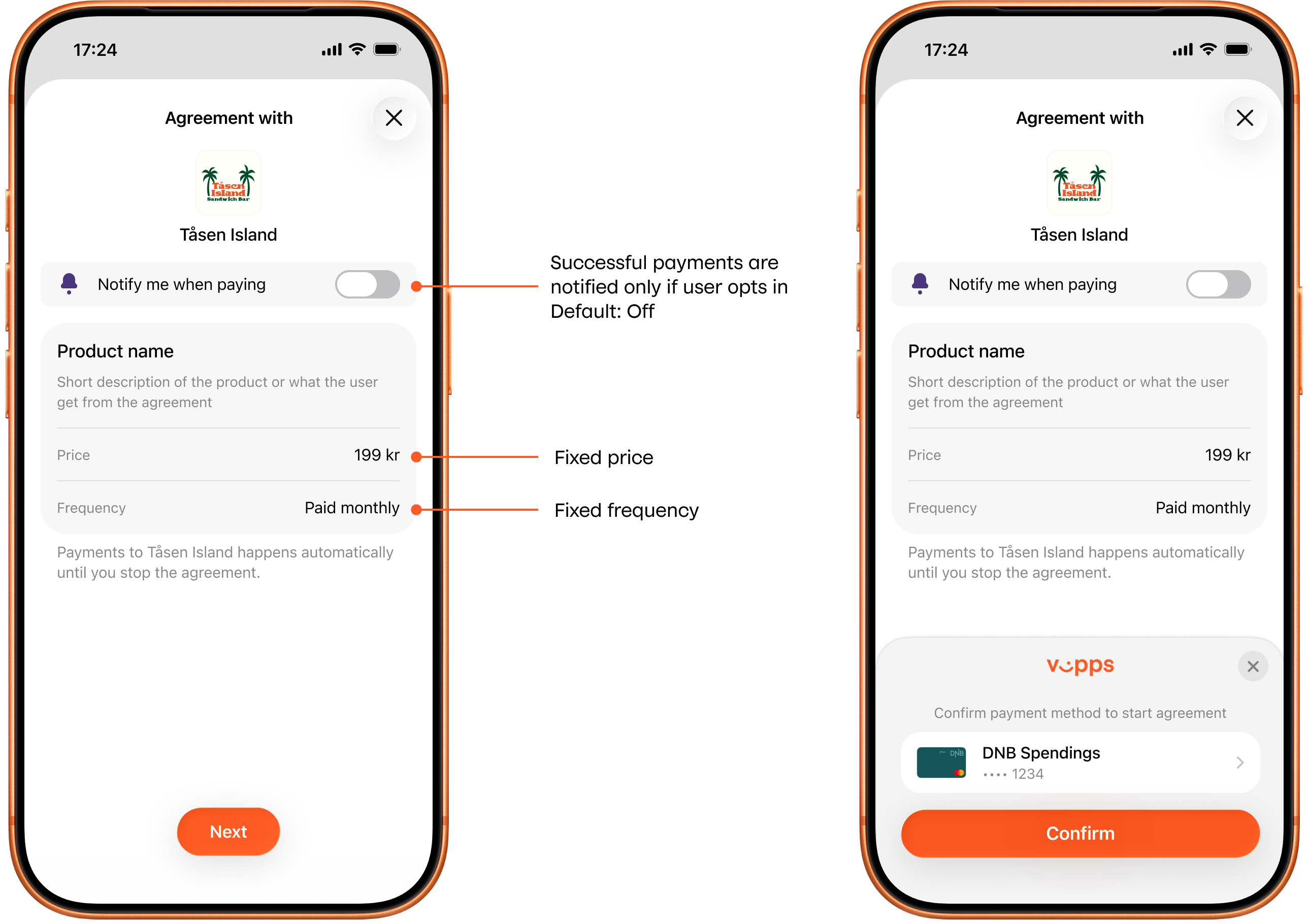
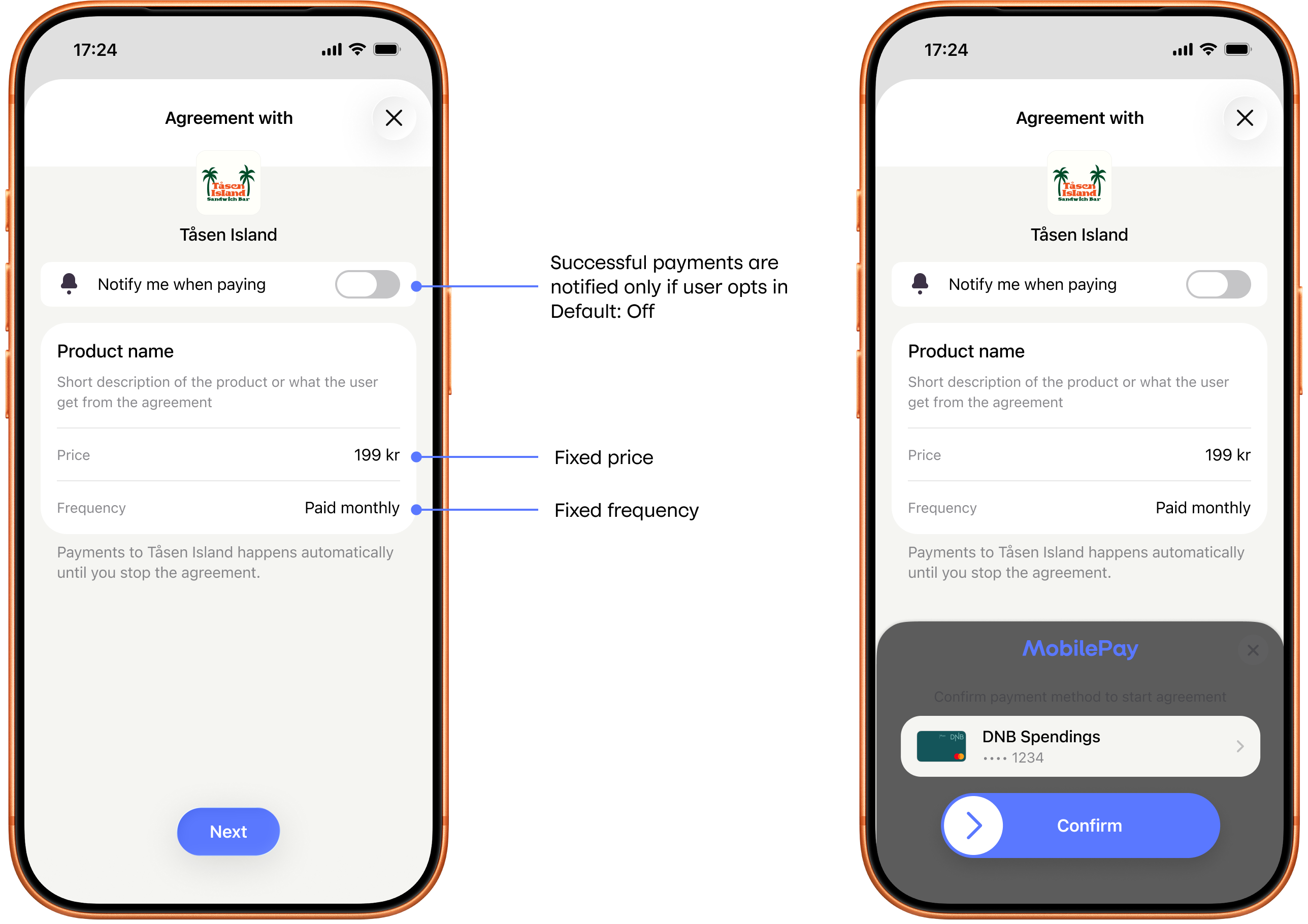
Screenshot: Two-screen fixed price payment agreement sign-up flow in the app (Vipps or MobilePay) — the overview step shows the product name, a fixed price field, and a fixed frequency field with callout annotations; the approval step shows a "Confirm payment method" prompt with a payment card and a Pay/Confirm button.
API request snippet
"pricing": {
  "type": "LEGACY",
  "amount": 18900,
  "currency": "NOK"
}
"interval": {
  "unit": "WEEK",
  "count": 1
}