Profile sharing
Install AI tools
Give your assistant up-to-date guidance for our APIs, with our plugin or without it.
The plugin is still under development. See the AI tools page for details.
- Claude Code
- Cursor
- Codex
- Without installing
Run both commands, in order.
claude plugin marketplace add vippsas/agent-toolkit
claude plugin install vipps-developer@agent-toolkit
Open Settings, then Plugins.
Add vippsas/agent-toolkit as a plugin marketplace, then install the "vipps-developer" plugin.
For the app, add the marketplace "vippsas/agent-toolkit" and then install "vipps-developer". For the CLI, run the following commands.
codex plugin marketplace add vippsas/agent-toolkit
codex plugin add vipps-developer@agent-toolkit
Paste this into any assistant.
Read https://github.com/vippsas/agent-toolkit/blob/main/plugins/vipps-developer/README.md for Vipps MobilePay integration guidance.
For troubleshooting, see the full instructions.
The Recurring API enables merchants to request the user's profile information (such as phone number or email address) as part of the payment agreement sign up flow. We call this the Profile sharing flow. It is also referred to as the user info flow.
Ensure that you comply with our privacy terms.
Example industries/use-cases
✨ Any merchant who wants to provide a smoother subscription sign up experience for their users.
How it looks in the app
- Vipps
- MobilePay
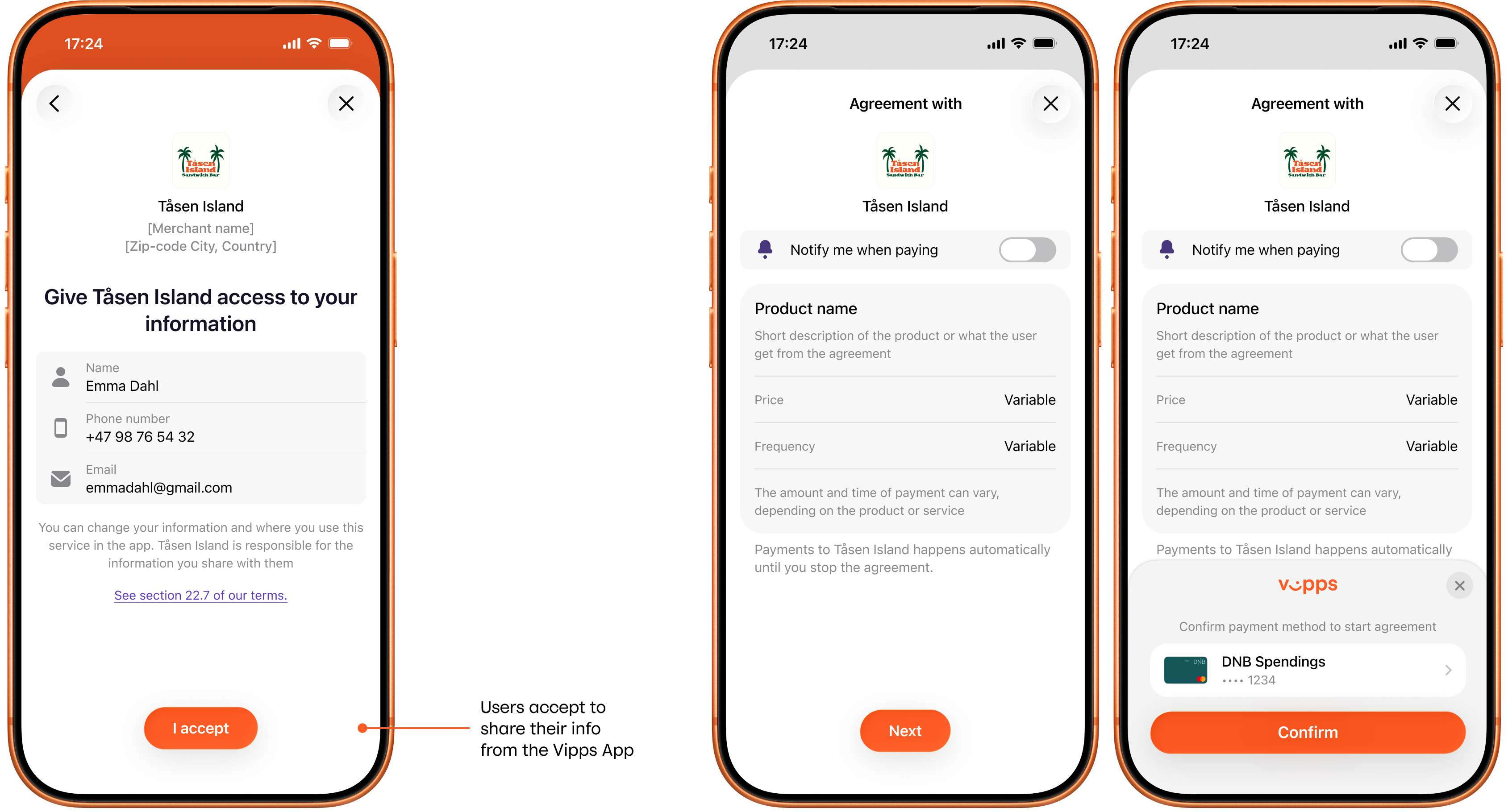
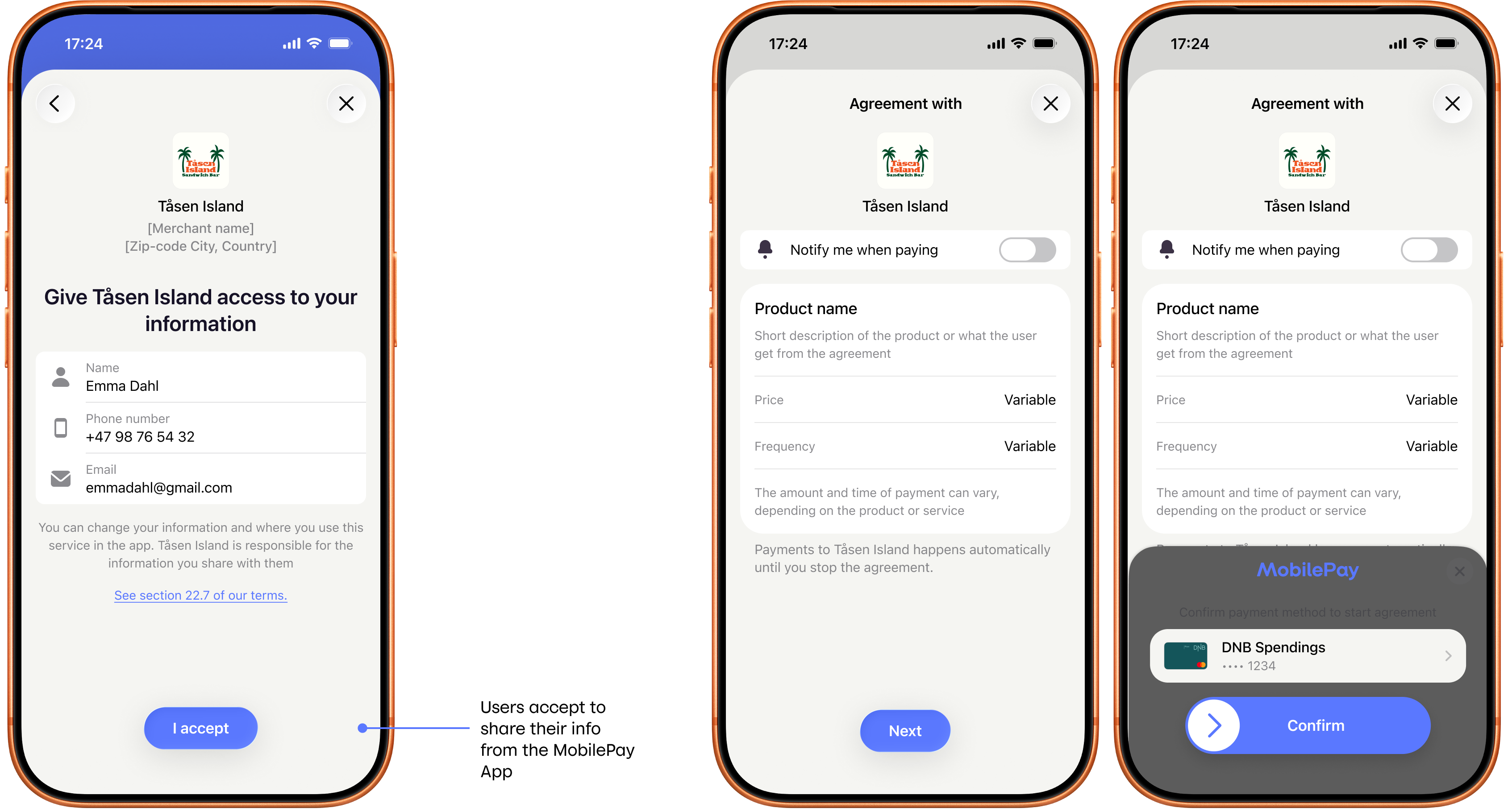
Screenshot: Three-screen profile sharing and payment agreement sign-up flow in the app (Vipps or MobilePay) — the consent step shows a "Give access" screen listing profile fields (name, email, phone number, address, birth date) with an "I accept" button; the overview step shows the agreement with a campaign discount callout; the approval step shows a "Confirm payment method" prompt with a payment card and a Pay/Confirm button.
API request snippet
{
  "pricing": {
    "type": "LEGACY",
    "amount": 2500,
    "currency": "NOK"
  },
  "interval": {
    "unit": "MONTH",
    "count": 1
  },
  "merchantRedirectUrl": "https://example.com/redirect",
  "merchantAgreementUrl": "https://example.com/agreement",
  "phoneNumber": "4712345678",
  "productName": "MyNews Digital",
  "scope": "address name email birthDate phoneNumber"
}
Include the scope values you need access to (e.g., "address email name phoneNumber"), separated by spaces.
The options include: address, birthDate, email, name, phoneNumber, and nin (in special cases).
See Userinfo API guide: scope for more details.
Use as few scopes as possible to reduce the risk that the user cancels the agreement request.
For more details, see the Userinfo API guide.