Userinfo API
Install AI tools
Give your assistant up-to-date guidance for our APIs, with our plugin or without it.
The plugin is still under development. See the AI tools page for details.
- Claude Code
- Cursor
- Codex
- Without installing
Run both commands, in order.
claude plugin marketplace add vippsas/agent-toolkit
claude plugin install vipps-developer@agent-toolkit
Open Settings, then Plugins.
Add vippsas/agent-toolkit as a plugin marketplace, then install the "vipps-developer" plugin.
For the app, add the marketplace "vippsas/agent-toolkit" and then install "vipps-developer". For the CLI, run the following commands.
codex plugin marketplace add vippsas/agent-toolkit
codex plugin add vipps-developer@agent-toolkit
Paste this into any assistant.
Read https://github.com/vippsas/agent-toolkit/blob/main/plugins/vipps-developer/README.md for Vipps MobilePay integration guidance.
For troubleshooting, see the full instructions.
Profile sharing allows merchants to request user information during a payment flow. This creates a seamless experience where users can agree to pay and share their information in one process.
When you request consent to access the user's profile information, a consent screen will be displayed in the user's Vipps or MobilePay app.
- Vipps
- MobilePay
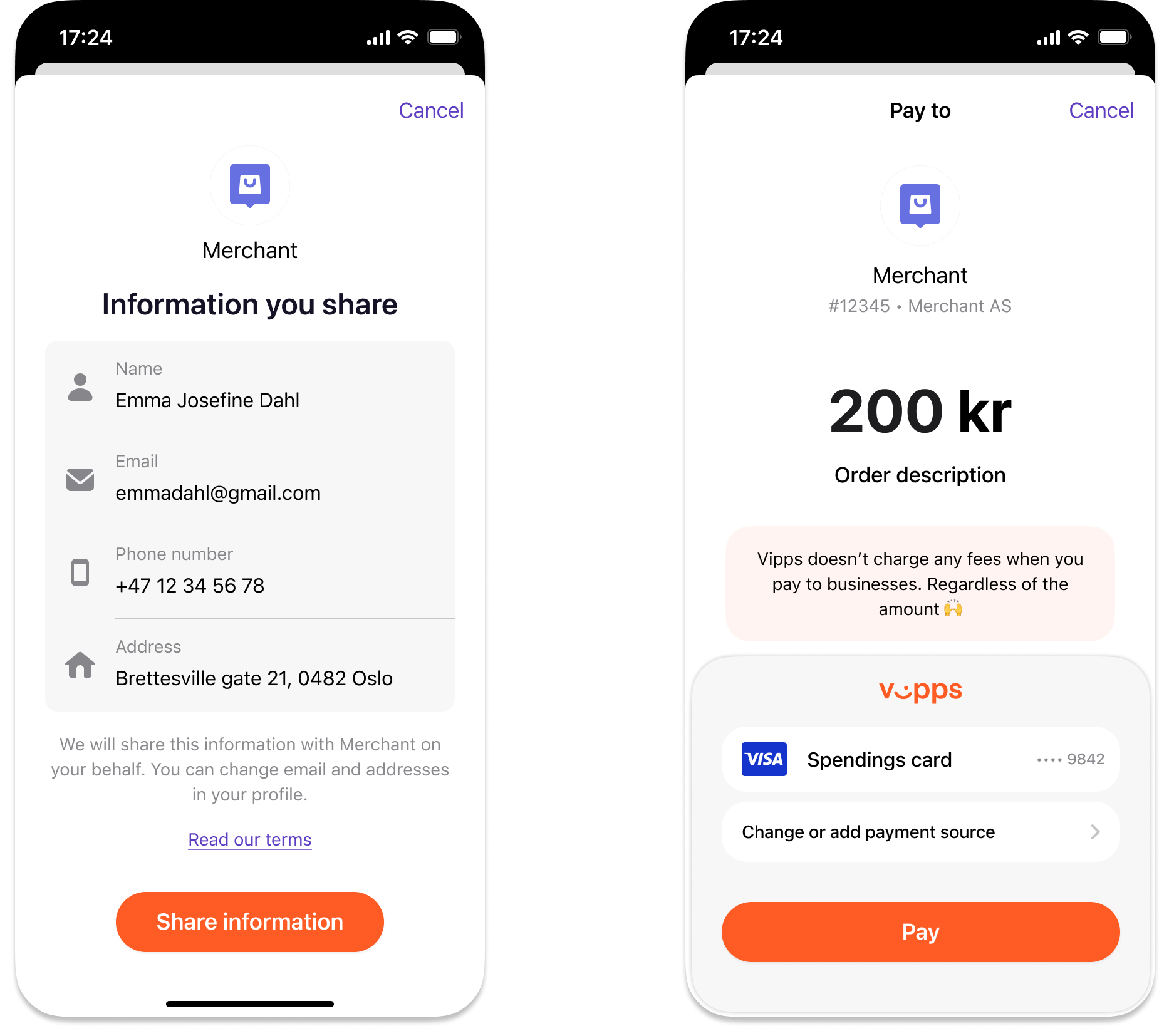
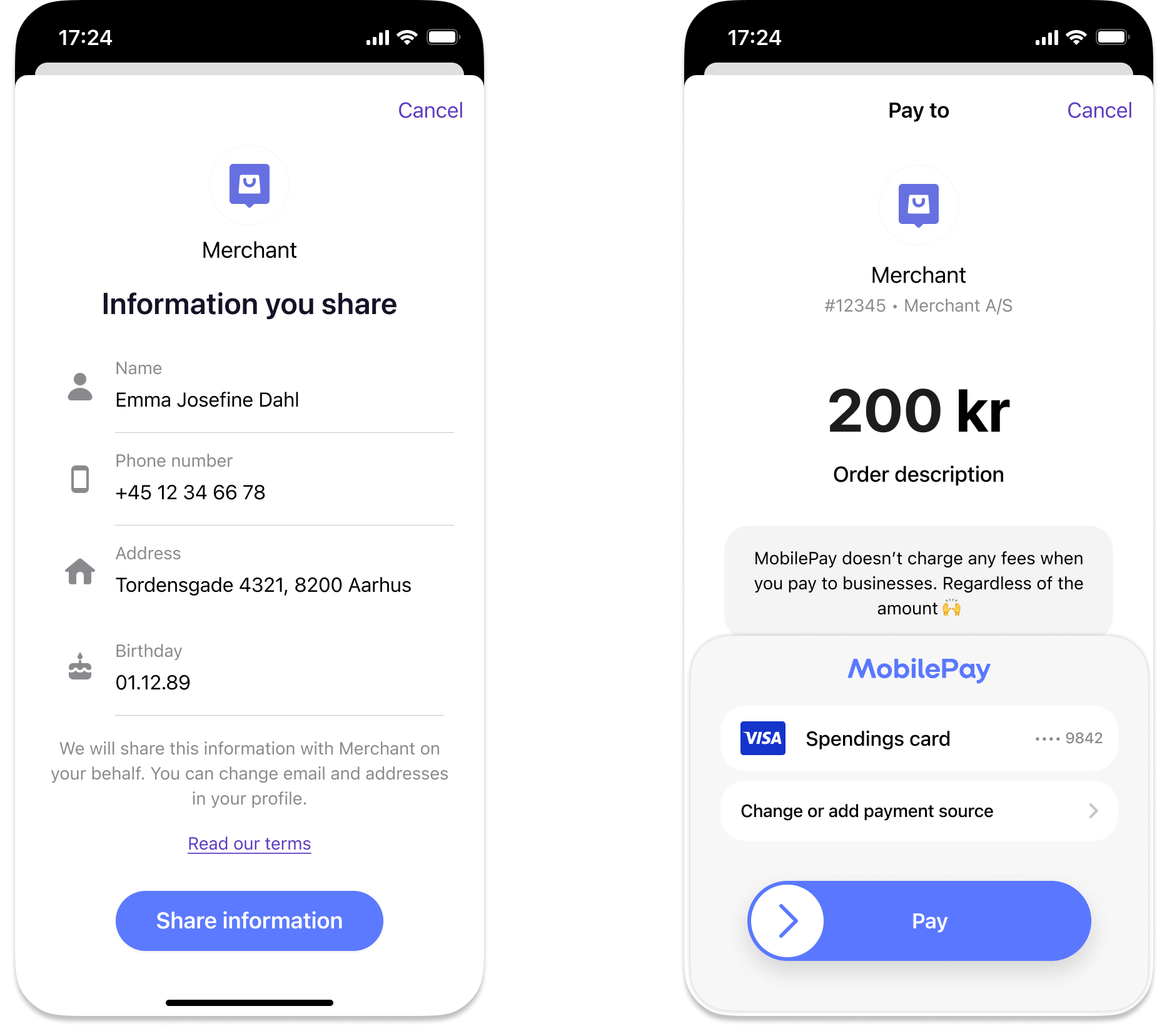
Screenshot: Two-screen profile-sharing flow in the Vipps or MobilePay payment app: Left — "Information you share" consent screen listing user details with a Share information button. Right — payment screen with a Pay button.
The user must complete both screens before the merchant gets access to their profile information. If the user doesn't consent to access, then the payment or agreement will fail.
This API returns the profile data that a user consented to share during a payment or agreement. The consent is requested on
that payment or agreement, which returns a sub. The call to this API is then a separate, merchant-authorized request
that you can make at any point within the consent window:
GET:/vipps-userinfo-api/userinfo/{sub}.
The following payment APIs integrate with the Userinfo API, each with its own specific implementation details:
- Recurring API - Enables profile sharing during agreement creation
- ePayment API - Supports profile sharing as part of the regular payment flow
- eCom API - Allows profile sharing during the eCom payment flow
If you're looking for Login-based profile sharing, see Login API guide.
When you need this API
Use the Userinfo API when:
- The payment or agreement is made with an API that only returns
sub(e.g., Recurring API or the legacy eCom API). - The payment is made with the ePayment API and you need a detail the payment response does not carry, such as
other_addresses.
Start building
Follow the quick start to request profile information during a payment flow.
Technical details
- Quick start: Walk through the complete profile sharing flow.
- API guide: Learn how to request and retrieve profile information.
- API FAQ: See answers to commonly asked questions.
- API reference: View the endpoint specifications.