QR codes in Vipps MobilePay
QR codes enable fast, contactless payments in physical locations. Choose the QR type that best fits your business setup:
| QR Type | Best For | How It Works |
|---|---|---|
| One-time payment QR | Customer-facing screen | You display a dynamic QR; customer scans it to pay |
| Merchant redirect QR | Marketing, printed materials | Customer scans your static QR; redirects to your website |
| Merchant callback QR | Unmanned locations (vending, self-checkout) | Customer scans your static QR; you receive a notification to initiate payment |
| Personal QR | Staffed checkout with scanner | Customer shows their personal QR code; you scan it to identify them |
- Choosing the right QR type - Technical decision guide with implementation paths
- QR API guide - Complete API documentation and code examples
- Donation links and QR codes - URL format for Donations product links and QR codes
One-time payment QR
Use when: You have a customer-facing screen (e.g., checkout terminal, kiosk, POS display).
You display a dynamically generated QR code on your screen. The customer scans it with their Vipps or MobilePay app, and the payment request appears instantly — no phone number needed.
 or MobilePay
  app, and the payment request appears instantly — no phone number needed.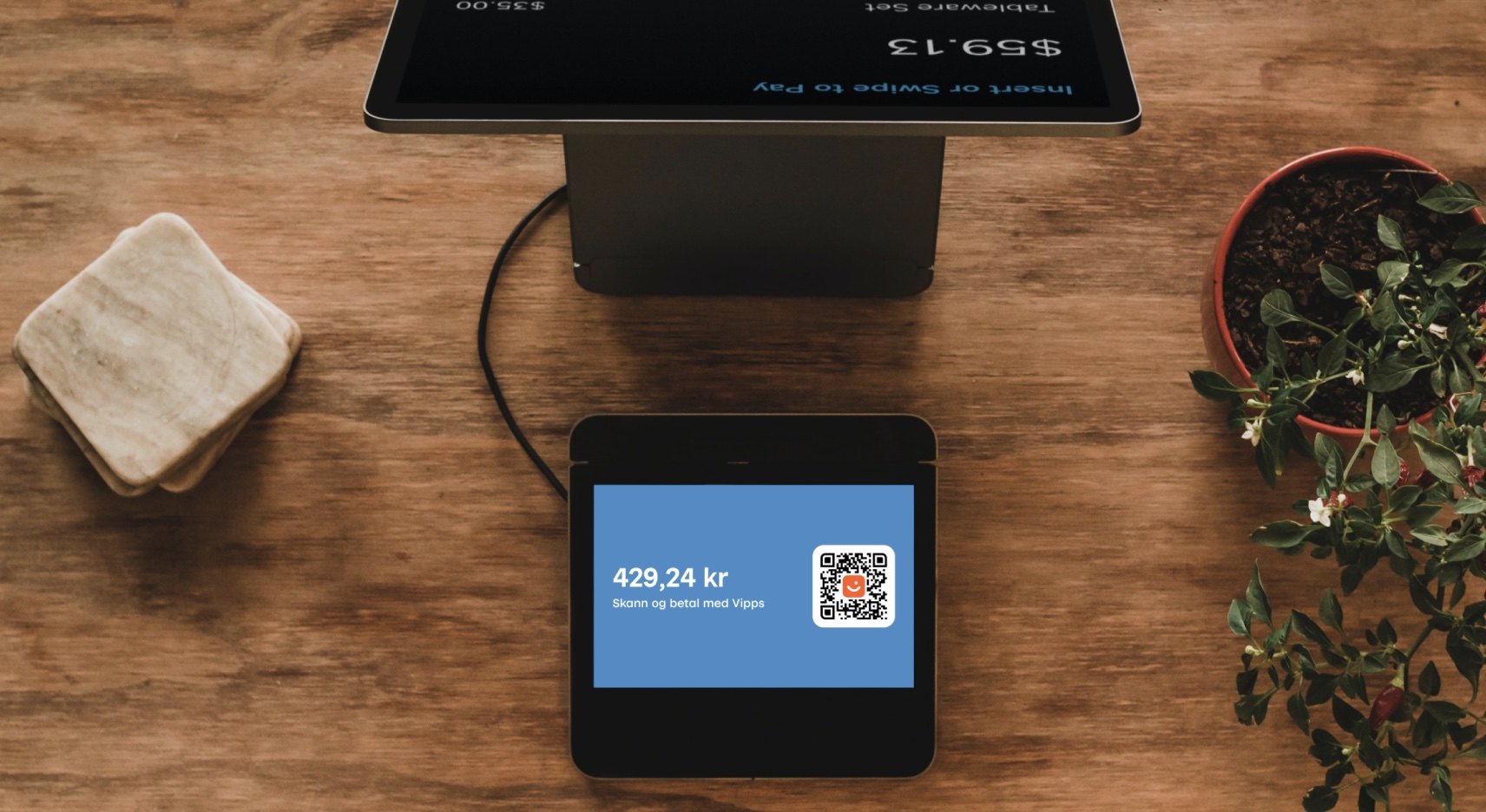
Benefits:
- Completely contactless
- No phone number entry required
- Each QR is unique and tied to the specific transaction
- Ideal for high-traffic locations
Learn more:
- How one-time payment QR works - Visual walkthrough
- One-time payment QR in ePayment - Implementation guide
- QR API reference - For Recurring and eCom APIs
Merchant redirect QR
Use when: You want a printable QR code for marketing materials, product packaging, or physical locations that directs customers to your website.
When customers scan this QR code with any phone camera, your website opens in their browser. From there, they can browse products and complete payment on your site.

Benefits:
- Works with any phone camera (Vipps/MobilePay app not required)
- Perfect for print materials (billboards, flyers, product labels)
- QR never expires
- Update the target URL anytime without reprinting
Learn more:
- How merchant redirect QR works - Visual walkthrough
- Merchant redirect QR API reference - Implementation guide
- Generate QR via portal - No-code option
Merchant callback QR
Use when: You have unmanned locations (vending machines, self-checkout stations, parking meters) or need to know when someone wants to pay.
You print and display a static QR code. When a customer scans it in their Vipps or MobilePay app, you receive an instant notification with the QR ID and customer token. You then send them a payment request.
Benefits:
- Perfect for unmanned locations
- One QR code can be used repeatedly
- You know exactly when and where a payment is initiated
- Customer doesn't need to select amount or product details on their phone
Learn more:
- How merchant callback QR works - Visual walkthrough
- Merchant callback QR API reference - Implementation guide
Personal QR
Use when: You have a staffed checkout with a QR scanner.
Every Vipps and MobilePay user has a personal QR code in their app. Customers show their QR code, you scan it to identify them, then send a payment request directly to their app — no need to ask for their phone number.

Benefits:
- Fast checkout process
- No manual phone number entry
- Works with existing scanners
Learn more:
- How personal QR works - Visual walkthrough
- Personal QR API reference - Implementation guide
- Personal QR feature in ePayment - Creating payments with personal QR
Frequently asked questions
How do I generate a QR code?
For the QR types above (one-time payment, merchant redirect, merchant callback, and personal QR):
- QR API - Programmatically generate QR codes as part of your integration
- Vipps MobilePay Portal - Manually generate QR codes without coding (see how)
For Donations product links, encode the donation URL as a QR code (any standard generator works), or create one in the portal. See Donation links and QR codes.
Can I initiate a payment with a QR code?
Yes. Both one-time payment QR (you display, customer scans) and merchant callback QR (customer scans, you initiate) enable QR-based payments. See ePayment API: QR flows for implementation details.
Do I need to whitelist my URL?
No. The QR API doesn't require URL whitelisting. You can create merchant redirect QR codes and update the target URL anytime without generating a new QR code.
See also
- QR API documentation - Complete technical reference
- Recommended payment flows - See QR codes in action
- Portal guide - Managing QR codes without code