Electric vehicle charging
Customer scans a QR code at the charging station, approves payment in the Vipps MobilePay app, charges their vehicle, and pays only for the actual amount used.
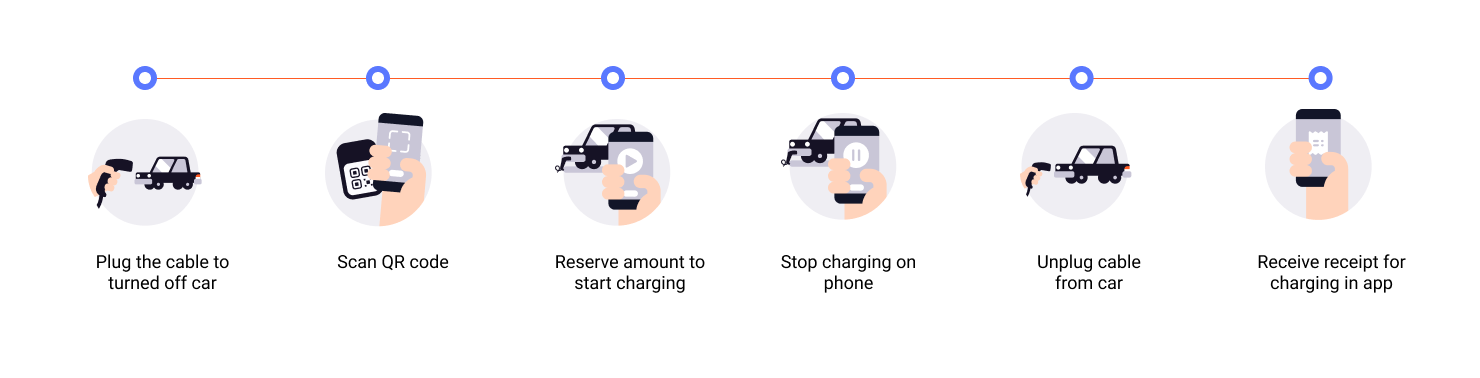
- Customer scans QR code - Customer scans the QR code to access the payment page on their phone.
- Initiate payment request - Reserve an amount (e.g., 350-500 NOK) to cover the charging session.
- Customer approves payment - Customer authorizes the reserved amount in their app.
- Start charging - Charging begins once payment is approved.
- Capture payment - Capture the actual amount used after charging completes.
- Cancel remaining amount - Release the unused reserved amount.
- Add order details - Send order details with the final amount paid.
Here is an example flow:
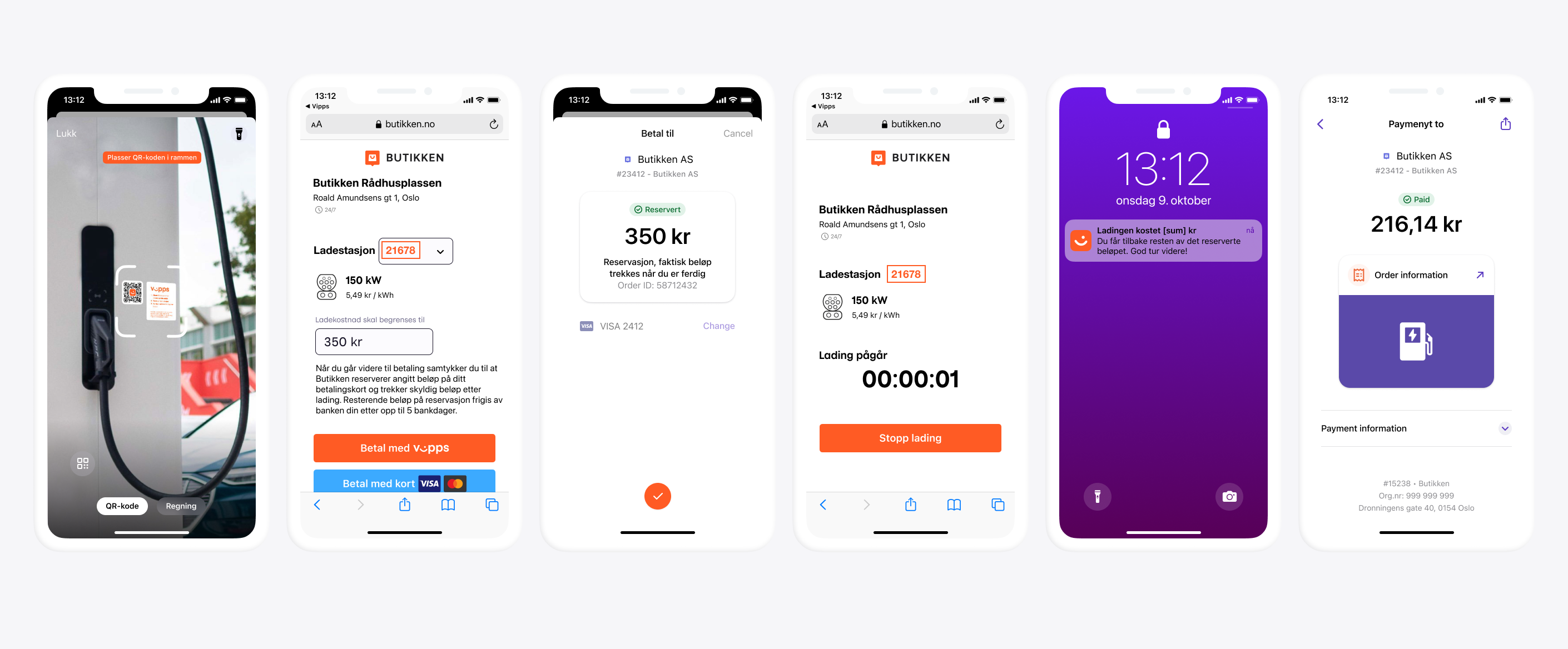
View sequence diagram
Electric Vehicle charging flow