Recurring payments
Set up payment agreements with customers to automatically charge them at regular intervals for subscriptions, memberships, and recurring services.
Ready to build?
Use the Recurring API to create agreements and charge customers according to your subscription model.
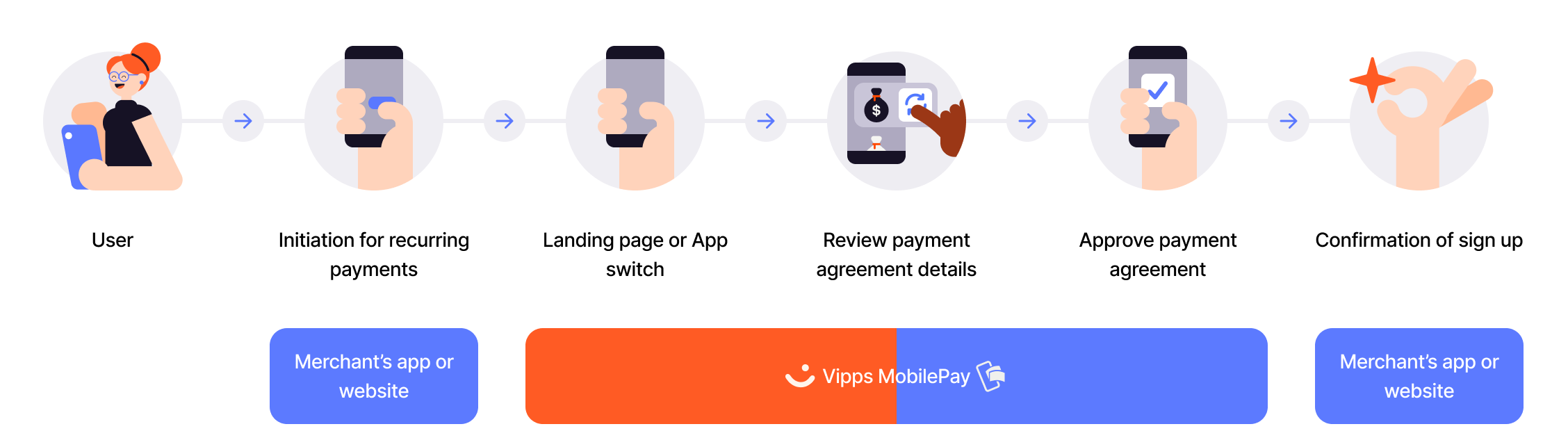
Flow diagram: 6-step recurring payment sign-up process. (1) User initiates on merchant's app or website. (2) Initiation for recurring payments. (3) Landing page or app switch to Vipps MobilePay. (4) Review payment agreement details. (5) Approve payment agreement. (6) Confirmation of sign-up on merchant's app or website.
- Customer initiates signup - Customer chooses a subscription on your website or app.
- Create agreement - Create payment agreement with customer's prefilled information.
- Open the app or payment dialog - The Widget SDK switches to the Vipps MobilePay app on mobile and tablet, or opens a payment dialog with the landing page on desktop.
- Customer confirms - Customer accepts the agreement in the Vipps or MobilePay app.
- Capture initial payment - If applicable, capture any upfront payment for the subscription.
- Schedule future charges - Your system schedules recurring charges based on the agreement interval.
You can include an initial charge with the agreement (e.g., first month's payment) that is captured immediately upon agreement acceptance. Subsequent charges are then scheduled according to the recurring interval.
View sequence diagram
Subscription signup with initial charge
- Merchant creates a receipt for the agreement via the Order Management API.
- Merchant initiates the agreement request via the Recurring API.
- Recurring API requests the agreement from the customer.
- Customer accepts the agreement.
- Merchant displays confirmation on the product site.
- Merchant initiates the initial payment capture via the Recurring API.
- Recurring API captures the initial payment from the customer.
Implementation resources
- Recurring API overview - Choose a user flow and find the main integration resources
- How the recurring payment process works - Visual walkthrough of the customer experience
- Widget SDK - Render the pay button that either switches to the app or opens the payment dialog that provides the landing page